Industrial Operations

Bella SCADAWeb-based SCADA software

Browser-based real-time monitoring and control for industrial facilities.

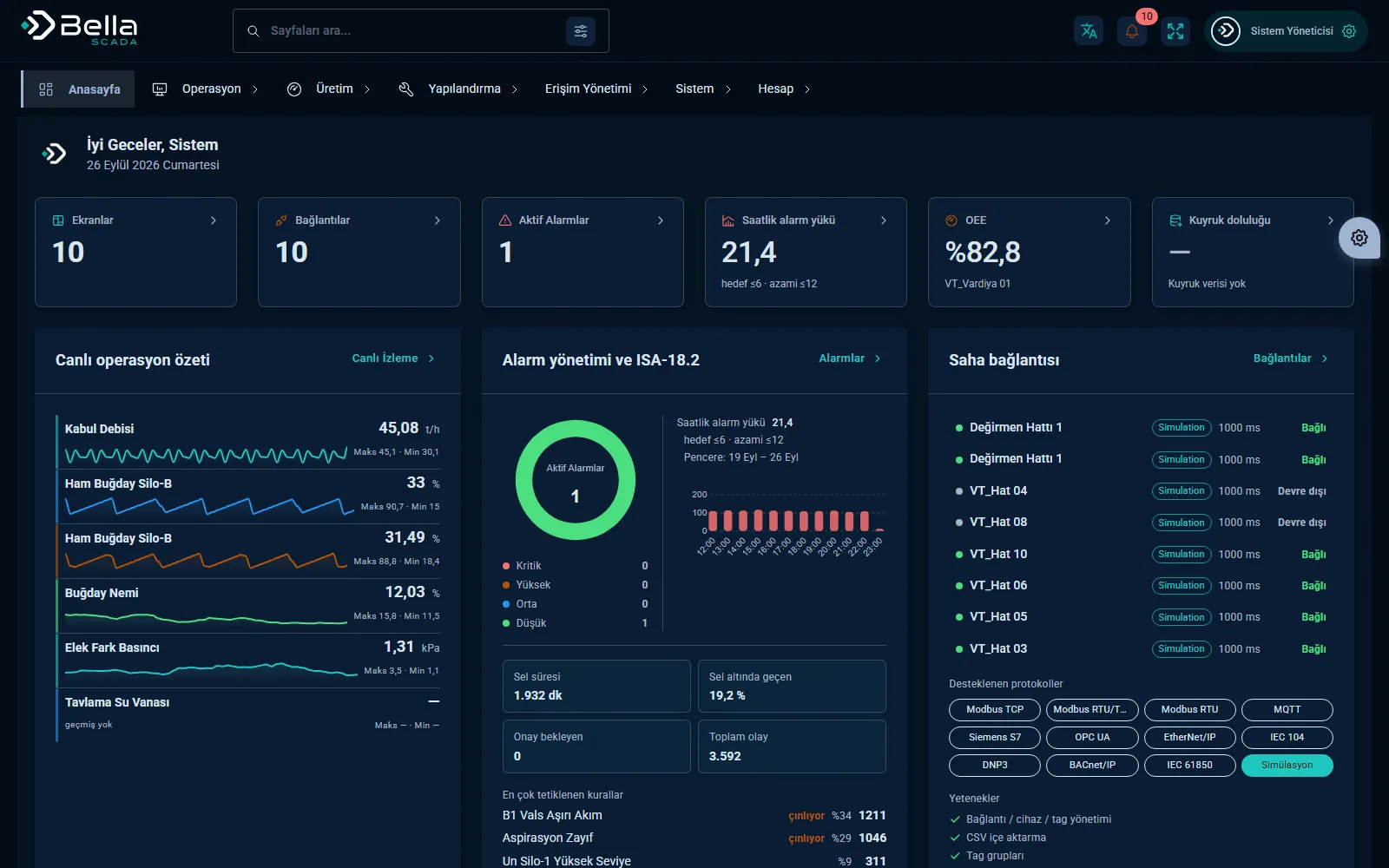
Bella SCADA — Operations dashboard

Bella SCADA collects data from PLCs and devices in the field in real time, displays it on screens and securely sends operators' control commands back. There's no client software to install; all operations run in the browser.

Alarm management, historical data, trend charts and reporting live on the same platform. Permission separation and action logs document who changed what and when in critical environments.

Capabilities

Real-time monitoringTag-based live data, status indicators and schematic screens.
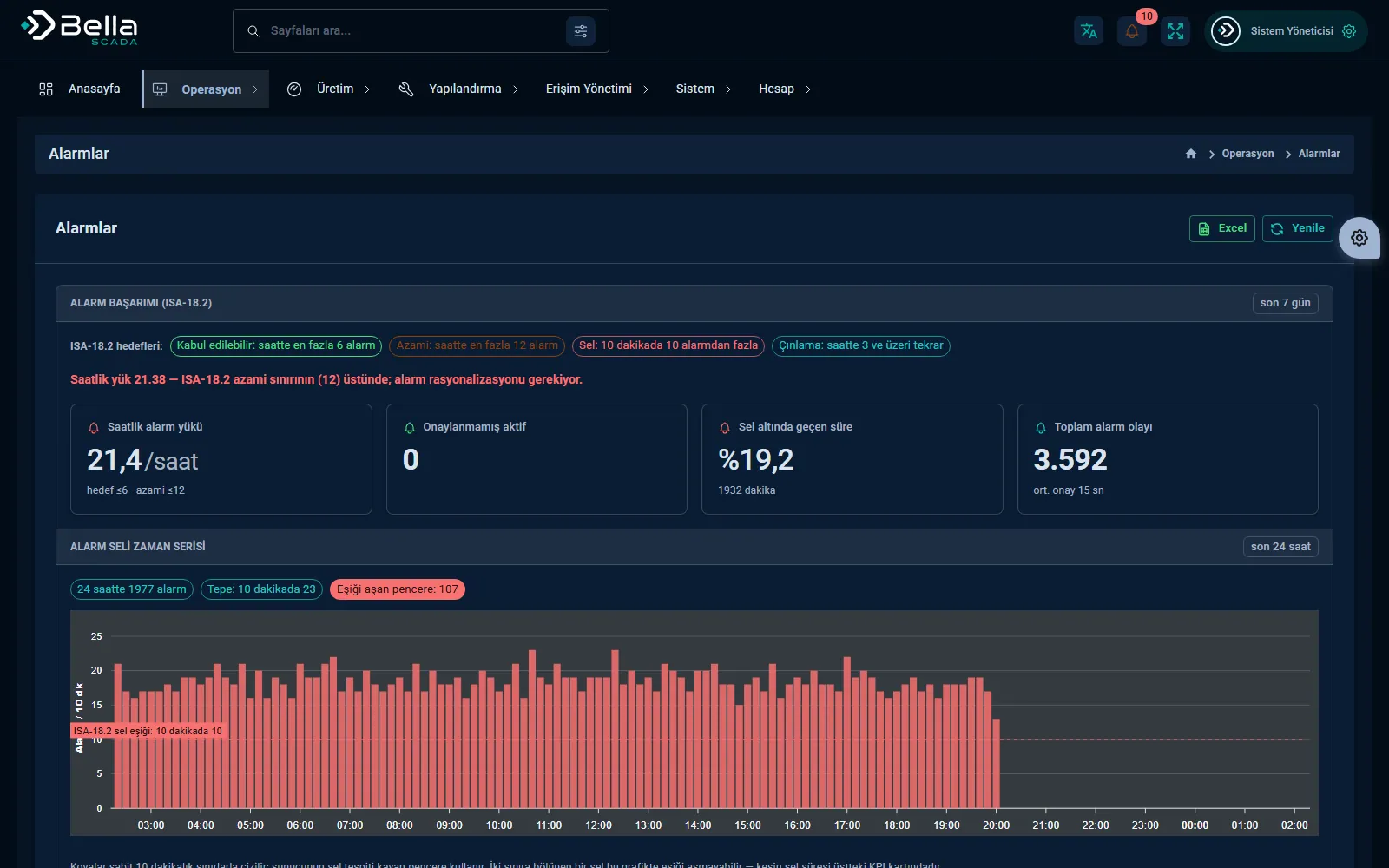
Alarm managementPriority, acknowledgement, silencing and alarm history.
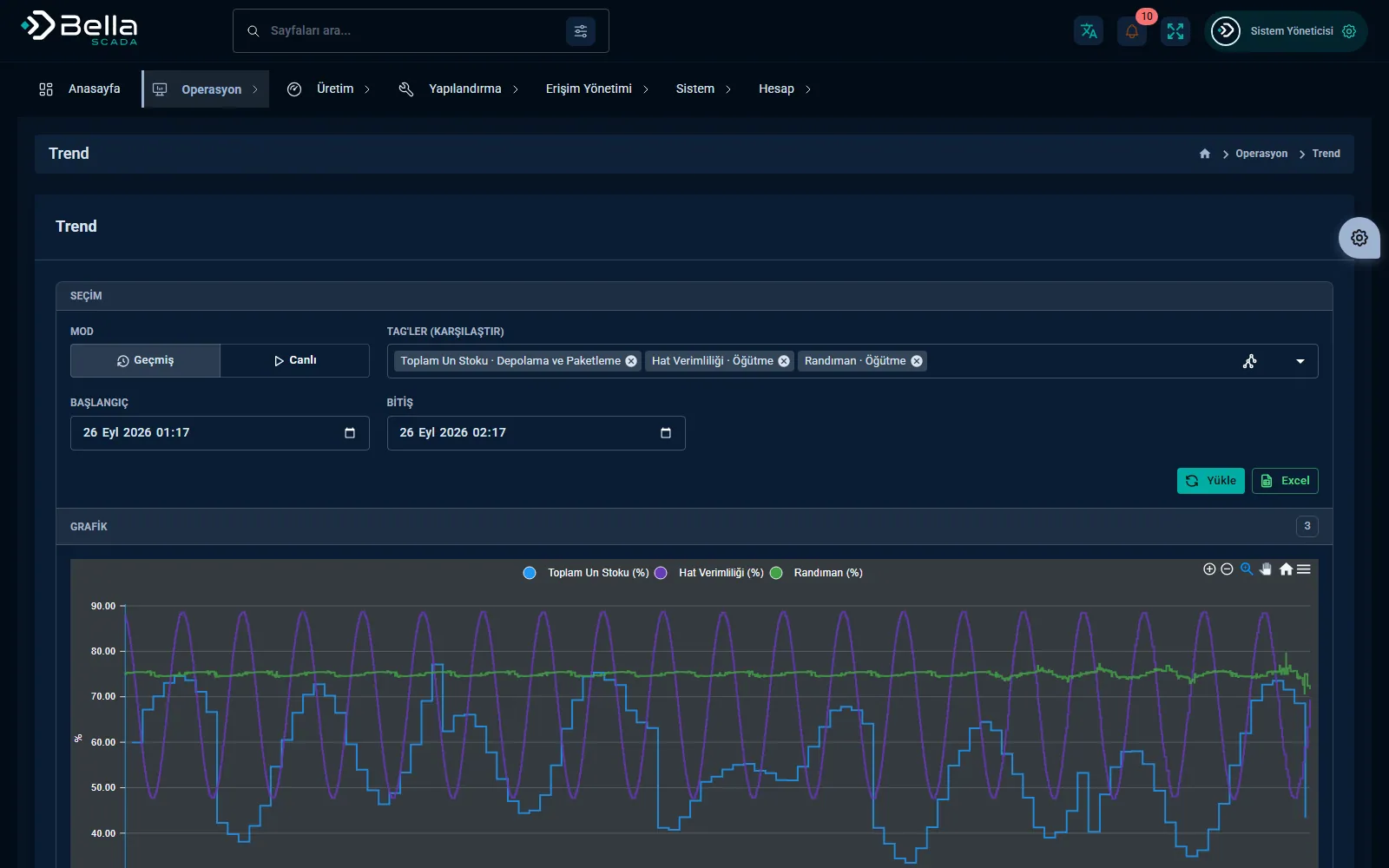
Historical dataTrend charts, comparisons and export.
Permissions and action logWho issued which command and when — a full audit trail.
ReportingAutomatic shift, production and downtime reports.
Edge to cloudA secure bridge between the field network and central monitoring.

Data path: from the field to the screen

Field drivers run as a separate service, so reading continues even if the web server restarts. Layers talk over Redis; live data reaches the browser via SignalR.

  1. Field devicePLCs, RTUs, power analyzers, meters and sensors.
  2. Bella RuntimeOne driver per connection; reads with scaling, deadband and quality information. Runs as a Windows service or Docker container.
  3. RedisLive values, connection status and the command channel. The work lock between multiple Runtimes is also kept here.
  4. API and historyAlarm evaluation, calculated tags and scripts; values are batch-written to PostgreSQL (optionally TimescaleDB).
  5. BrowserHMI screens, trends, alarms and reports in a web client that needs no installation.

When something fails

A SCADA system is judged by what it does when things go wrong. We describe how it behaves today, as it is.

If a device connection dropsThe connection moves to an error state and retries after 5 seconds. Screens flag stale data and lost connections.
If the server is unreachableThe Runtime holds values in memory, up to 10,000 messages per connection; when full, the oldest is dropped. There is no disk-backed buffer.
Runtime redundancySeveral Runtimes can run at once. The one holding the work lock reads; if the lock lapses (35 s by default), a standby instance takes over.
Server redundancyAPI nodes elect a primary and support manual hand-over. Full hot standby requires a separate installation on a second machine.
If history cannot be writtenThe write queue holds up to 100,000 samples in memory; dropped samples are counted and logged, never lost silently.
Data retentionNumeric tags are stored at a per-tag logging interval. Default retention is 30 days and configurable; TimescaleDB adds compression and retention policies.

Alarms, access and audit trail

Alarm rulesThreshold, hysteresis, on and off delay, priority group. Acknowledge and timed shelving are supported.
Alarm notificationIn-app, email, Telegram, SMS gateway and webhook. During an alarm flood a summary is sent instead of individual messages.
Access control99 separate permissions, role- and screen-based access. Two-step sign-in with an authenticator app (TOTP); the account locks for 15 minutes after 5 failed attempts.
Command safetyWrite permission, writable-tag and data-type checks. Single or dual (second-person) e-signature on selected tags, with password re-entry.
Audit trailEvery record change and every command is logged with user, IP and value. Entries are linked by a SHA-256 chain; the chain can be verified and deletions become visible.
Installation and backupOn-premise on Windows Server (IIS + Windows service) or Docker. Configuration exports and imports as JSON; database backup and restore drills are documented.

Protocol support

Drivers live inside the Runtime; for a device not on the list, a driver is written as part of the project.

Modbus
Modbus TCP, Modbus RTU (serial) and Modbus RTU over TCP.
OPC UA
Connects as a client; username/password or anonymous session, signed and encrypted security modes.
PLC and field protocols
Siemens S7, EtherNet/IP, MQTT.
Energy and utility protocols
IEC 60870-5-104, DNP3, IEC 61850 (MMS), BACnet/IP.
Publishing data out
MQTT (UNS and Sparkplug B), a read-only OPC UA server and a REST endpoint secured with API keys.

Every driver is verified together with the on-site device during commissioning.

Screenshots

Bella SCADA — Trend charts
Trend charts
Bella SCADA — Alarm management
Alarm management
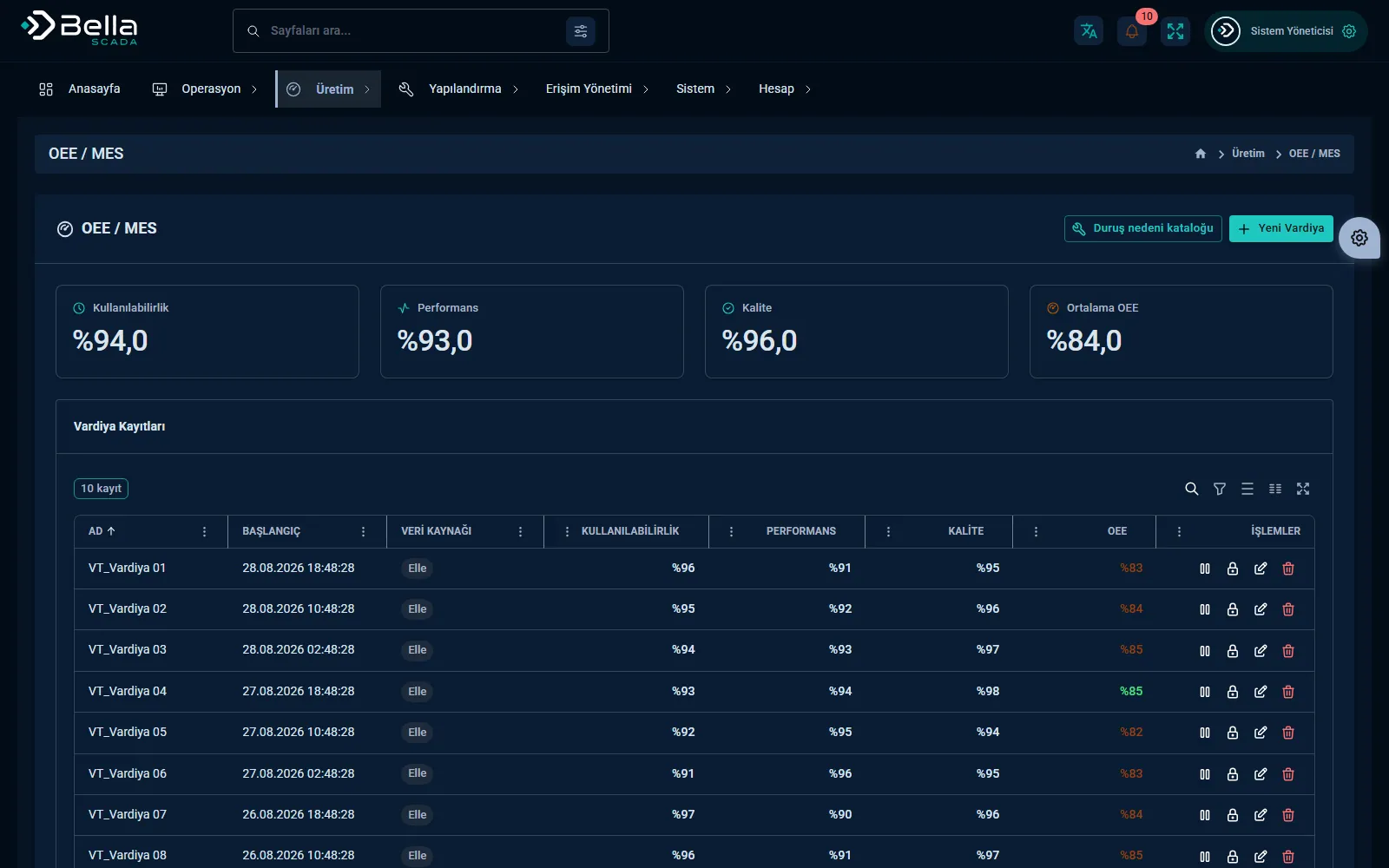
Bella SCADA — OEE tracking
OEE tracking
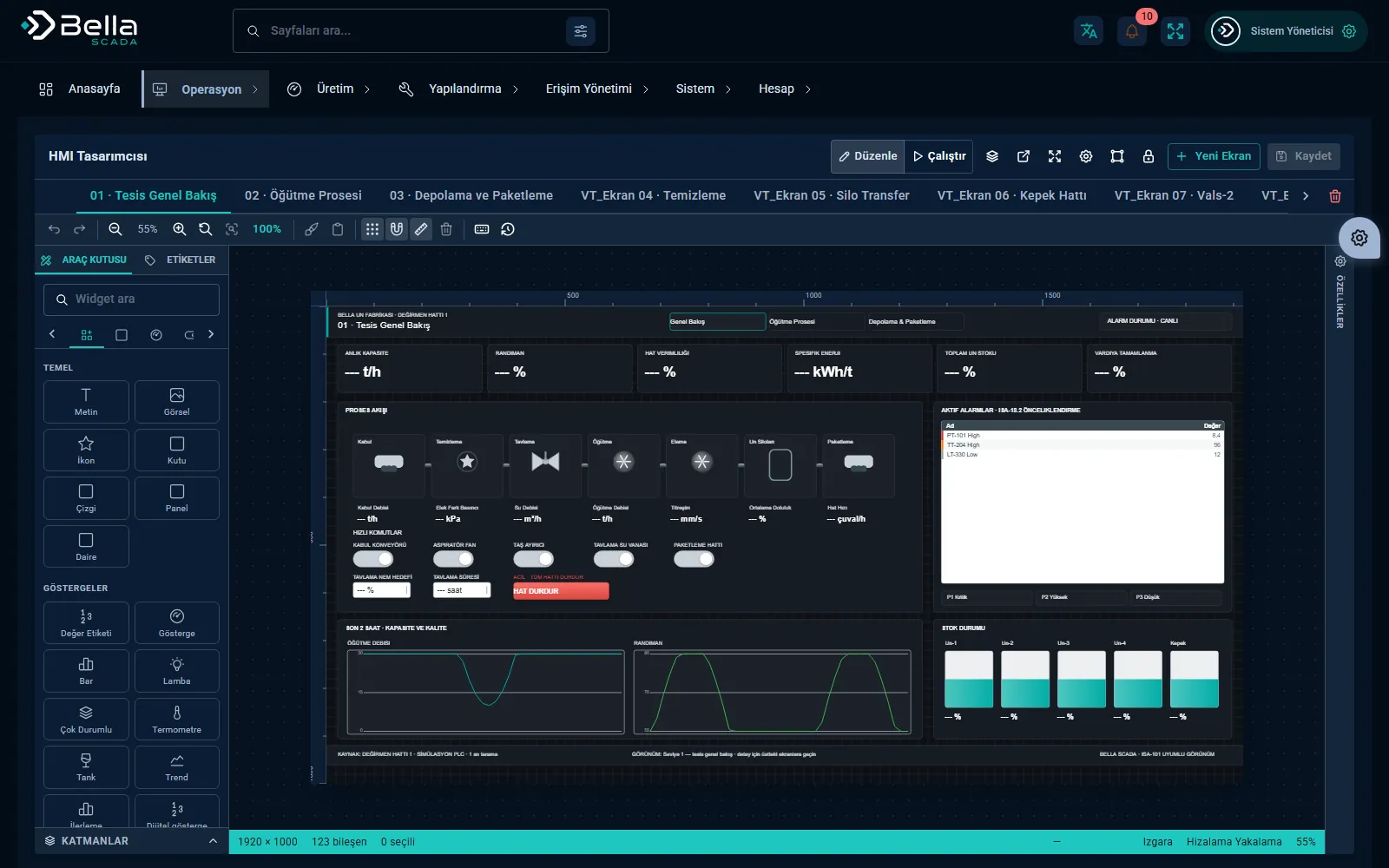
Bella SCADA — HMI screen
HMI screen

Frequently asked

Do we need to replace our existing PLCs?

Usually not. Bella SCADA connects to existing PLCs and devices over OPC UA, Modbus TCP/RTU and MQTT.

Is any installation needed on operator PCs?

No. There's no client software to install; monitoring and control run in the browser.

Can we trace who issued which command?

Yes. Role separation and operation logs keep a full audit trail of who issued which command and when.

Is data lost if the connection drops?

Not during short outages: while the Runtime cannot reach the server it holds the values it reads in memory, up to 10,000 messages per connection. The buffer is not written to disk; if the Runtime restarts in the meantime, pending values are lost. We account for this openly in the design.

What can Bella SCADA do for you?

Let's plan the whole process together, from installation to integration.