Netsis Integration · Ankara

Stop entering data into Netsis by hand.Netsis Integration

We transfer data from the field, from design and from other systems into Netsis automatically. Double data entry — and the inconsistency it causes — disappears.

Product structure transferStock movementsWork ordersAccounts and invoicesProduction data from the fieldReconciliation

The most common loss in manufacturing companies using Netsis is double data entry. The same product structure is created once on the design side and once in the ERP; over time the two drift apart and which one is correct becomes a matter of debate.

Our PDM to ERP product was developed for exactly this gap: it carries the product structure from the design side into the ERP. The same logic is applied to production, count and quality data coming from the field.

If this sounds familiar

  • Item cards and bills of materials created in design are entered into Netsis by hand.
  • The recipe in the ERP lags behind the latest revision in design.
  • A missed raw material code is only noticed when production is being planned.
  • Output and scrap from the floor are written to work orders in bulk at the end of the day.
  • Nobody can trace who changed a card, and when.

What it covers

Product structure transferCarrying the design-side structure into the ERP; changes tracked with versions.
Production dataProduction quantities, downtime and scrap from the field posted to work orders.
Stock and countingWarehouse movements recorded from a mobile device and transferred to the ERP.
Two-way operationChanges in the ERP are reflected on the field side too; one-way transfer produces drift over time.
Reconciliation reportRegular listing of differences between the two sides.
Error handlingA record that can't be transferred is set aside and reported; it never drops silently.

Example scenarios

Illustrative examples; the specifics are worked out during discovery at your site.

Design → ERPItem cards and BOMs from PDMNew and revised records in PDM are scanned regularly; item cards and bills of materials are written to Netsis, and codes with no match in Netsis are reported to the person in charge.
Shared cardDepartments working on the same cardR&D, production engineering and purchasing complete their own fields on the same data card; the approved card goes to the ERP and the approver is recorded.
ProductionFrom work order to task and quality recordProduction tasks are opened from Netsis work orders; machine and operator assignment, progress and quality control results are kept in the same flow.

PDM to ERP screens

PDM to ERP page →
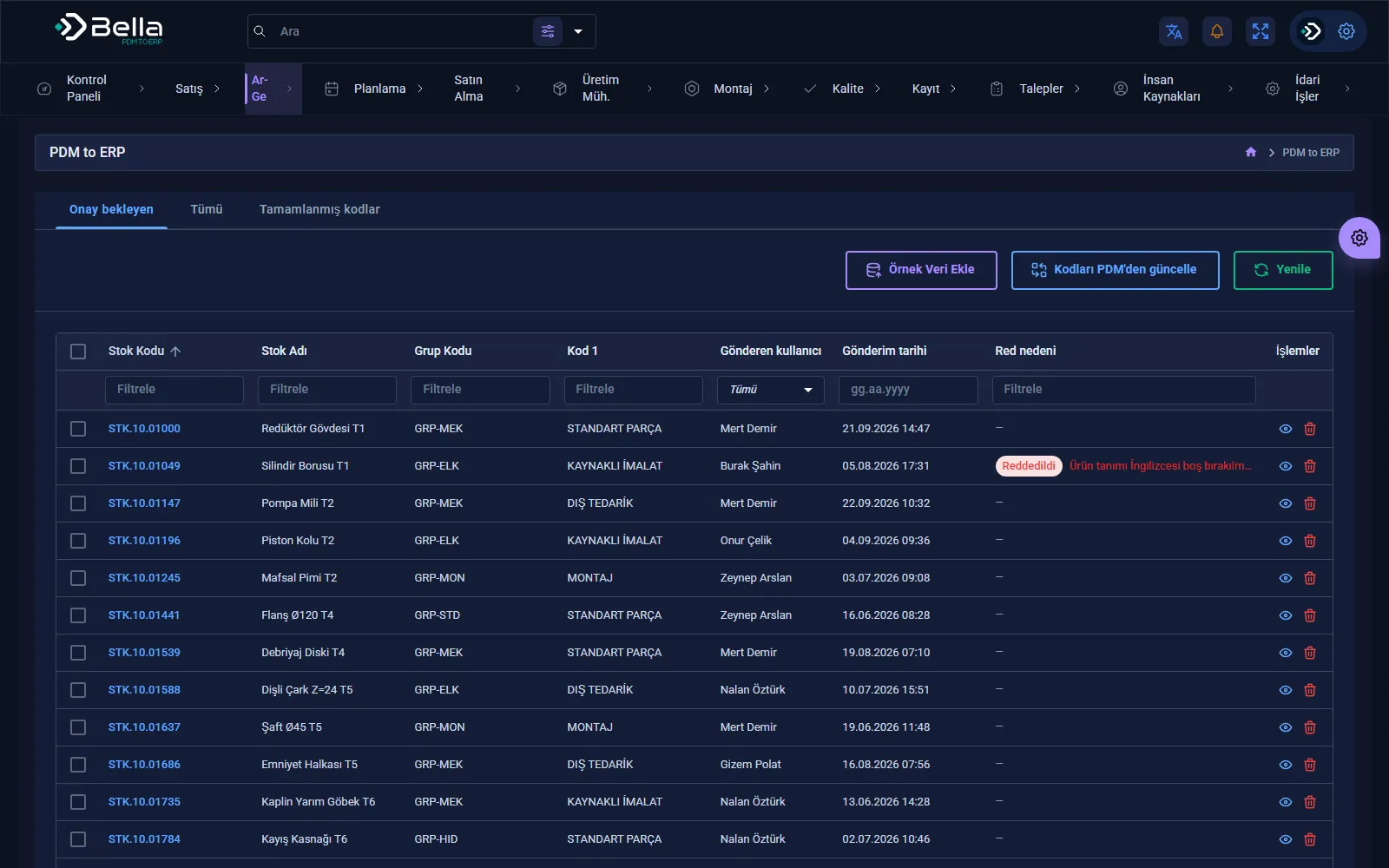
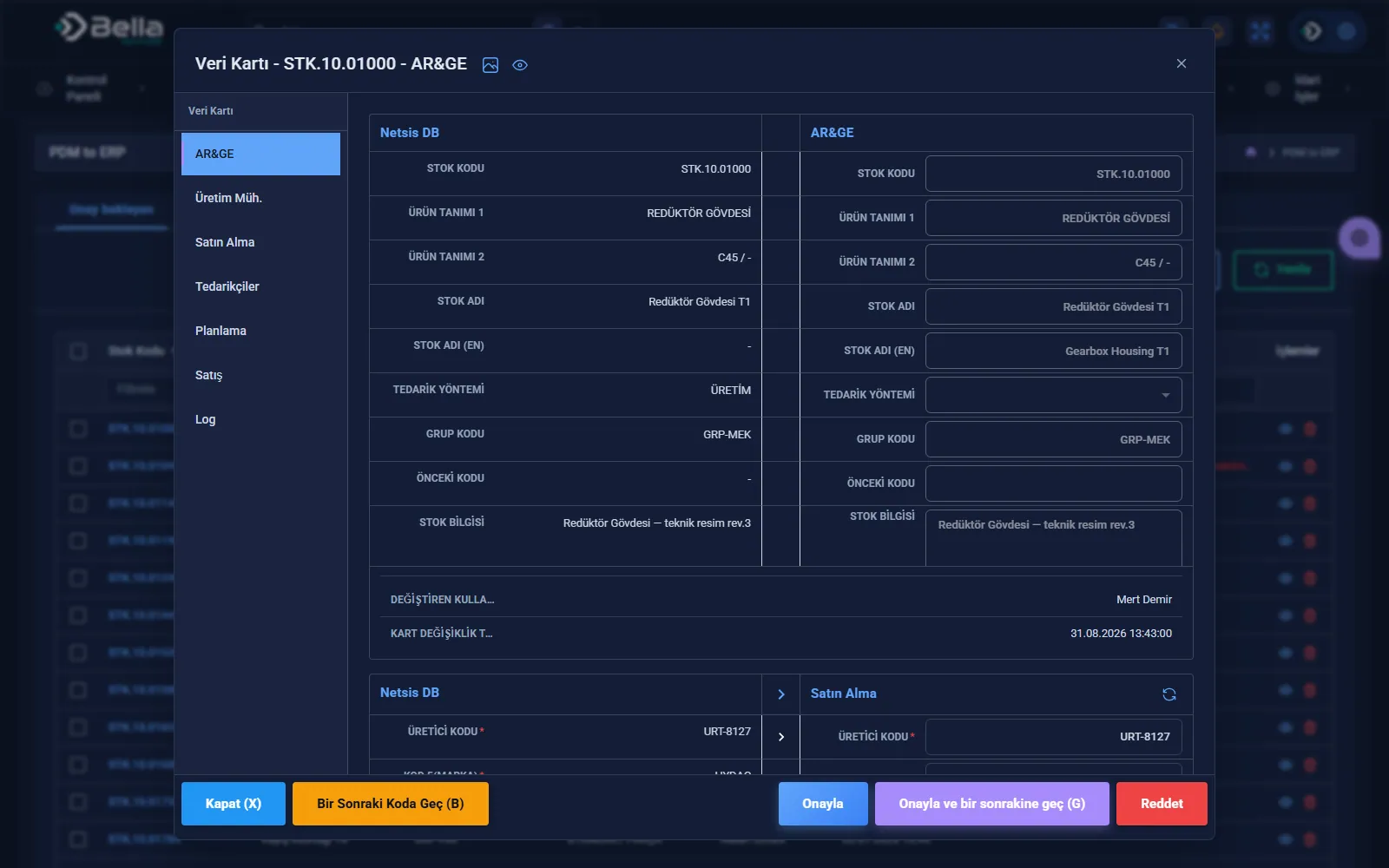
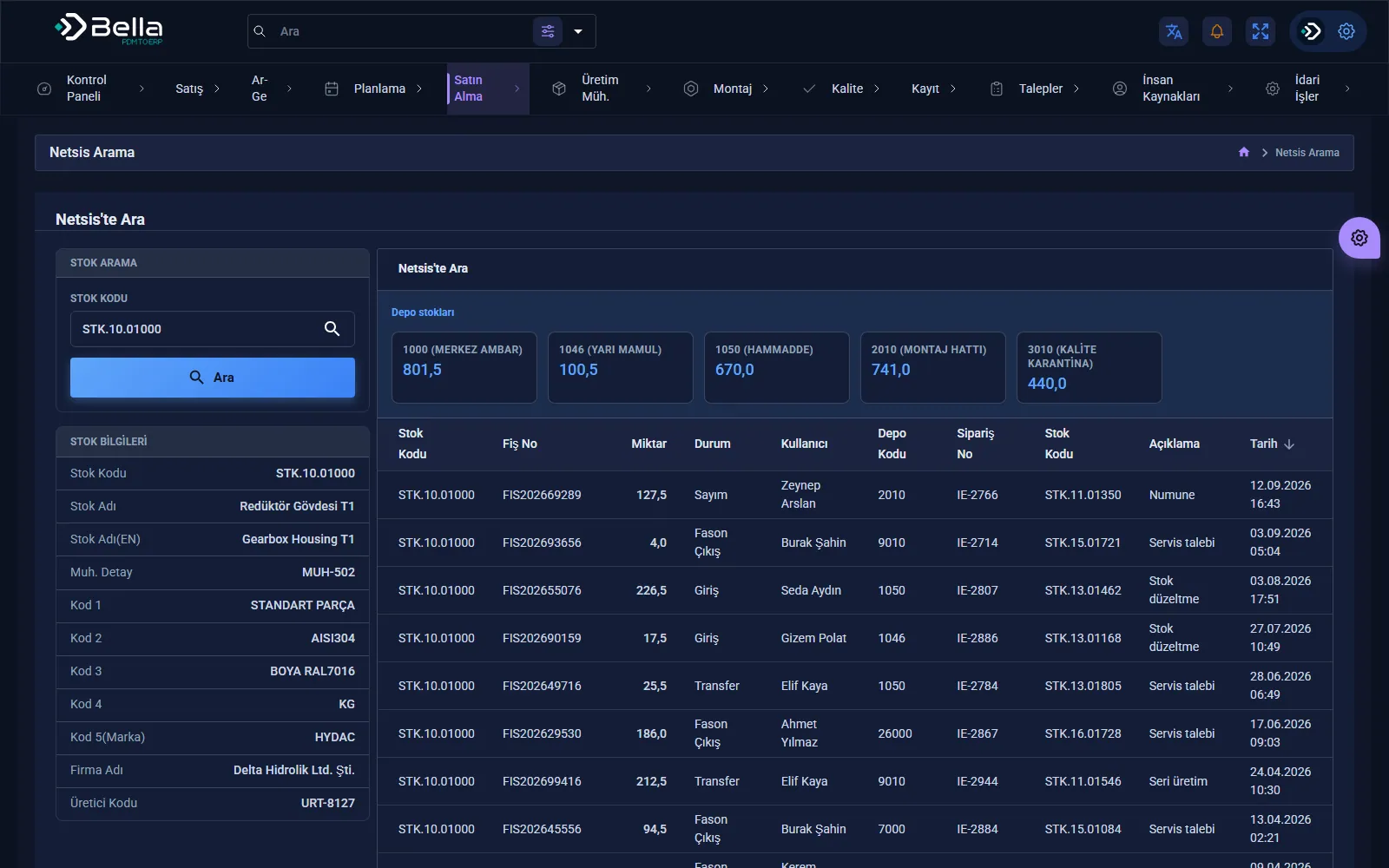
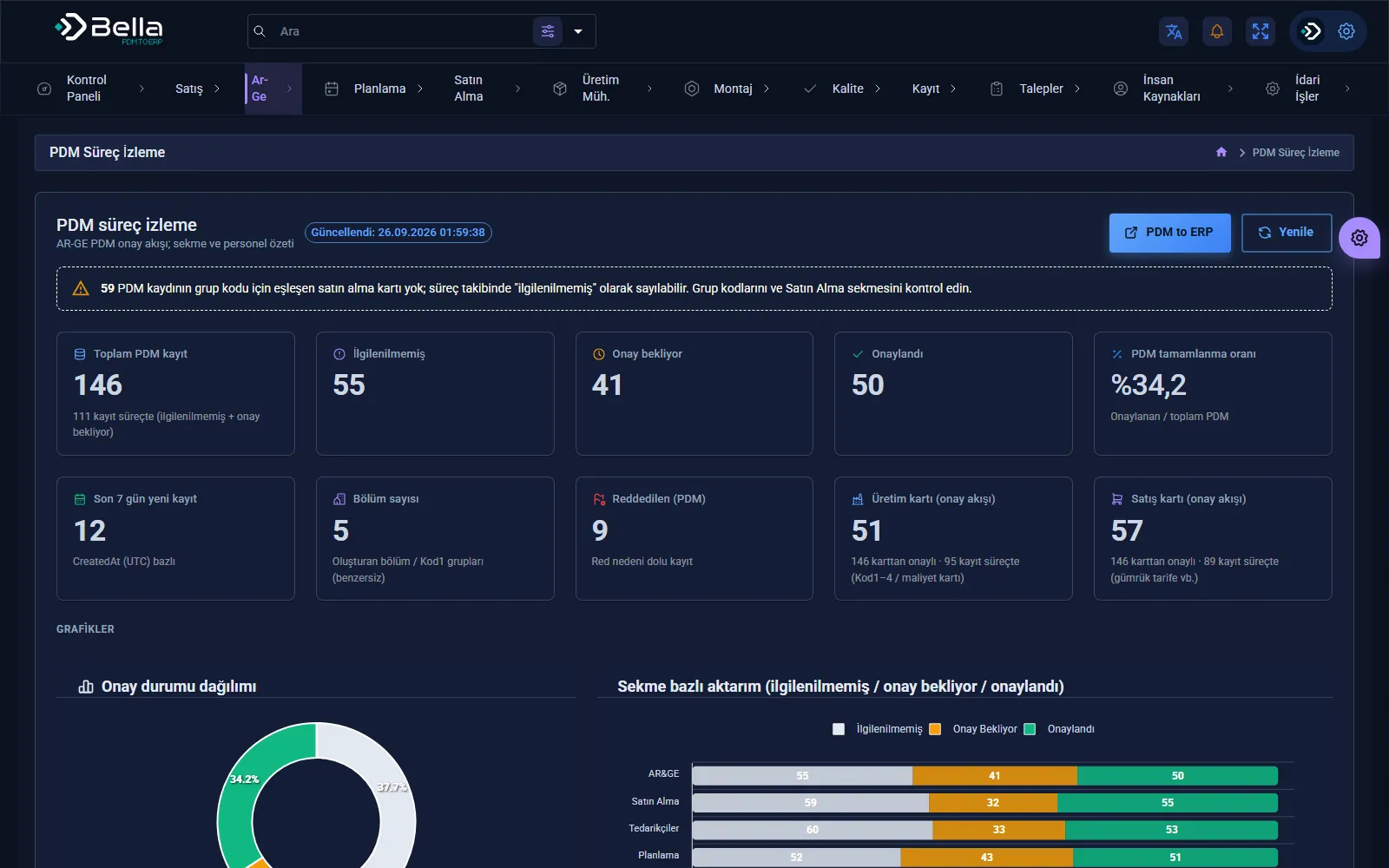
PDM to ERP — PDM process monitoring
PDM process monitoring
PDM to ERP — Transfer from PDM to ERP
Transfer from PDM to ERP
PDM to ERP — Transfer details
Transfer details
PDM to ERP — Netsis record search
Netsis record search

What we deliver

  • Field and code set mapping document
  • Transfer validated on a test database
  • Notifications for unmatched codes and errors
  • Log of every transfer and a reconciliation report
  • Operating and troubleshooting document

How we proceed

1 · Field mappingWhich field corresponds to what, and which code sets are used.
2 · Test environmentThe transfer is first validated in a test database.
3 · Parallel runManual entry continues for a while and the results are compared.
4 · Hand-overManual entry is retired and the reconciliation report becomes routine.

When it's the right choice

  • You use Netsis and design or shop-floor data is carried into the ERP by hand.
  • Your code sets (items, raw materials, operations) are defined or can be defined.
  • A test environment and access permissions can be provided on the Netsis side.

When it's not the right choice

  • If there is no coding standard and the same material is opened under different codes — clean-up comes first.
  • If direct writes to the live ERP are expected without a test environment.

Key products for this industry

Data Integration

PDM to ERP

A middleware layer that moves the product structure from design into the ERP, rule-based and traceable.

PDM / PLMERPProduct Structure
RulesMapping
RevisionControl
LogTraceability
PDM to ERP — screenshot

Frequently asked

Which versions of Netsis does it work with?

The integration method is determined by the version and the type of access. The current version and available interfaces are identified during discovery; no timeline is given before this step.

Do you write directly to our ERP data?

Only to the fields agreed on, and only after validation in a test environment. Records that can't be transferred are set aside and reported; no half-finished operations are left behind.

Let's talk about this.

We'll listen to your current situation and work out together where to start.