Data Integration

PDM to ERPProduct structure transfer layer

A middleware layer that moves the product structure from design into the ERP, rule-based and traceable.
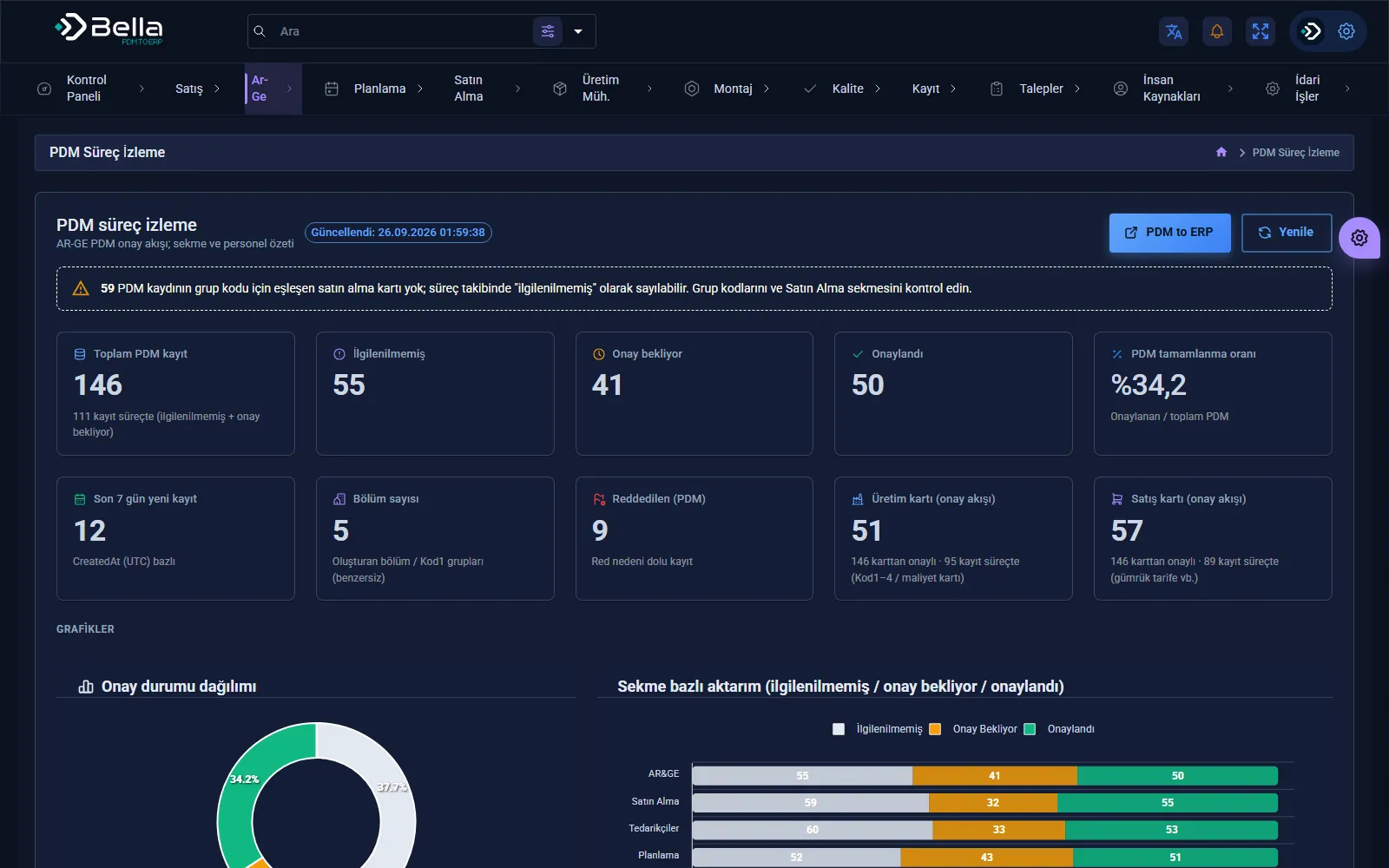
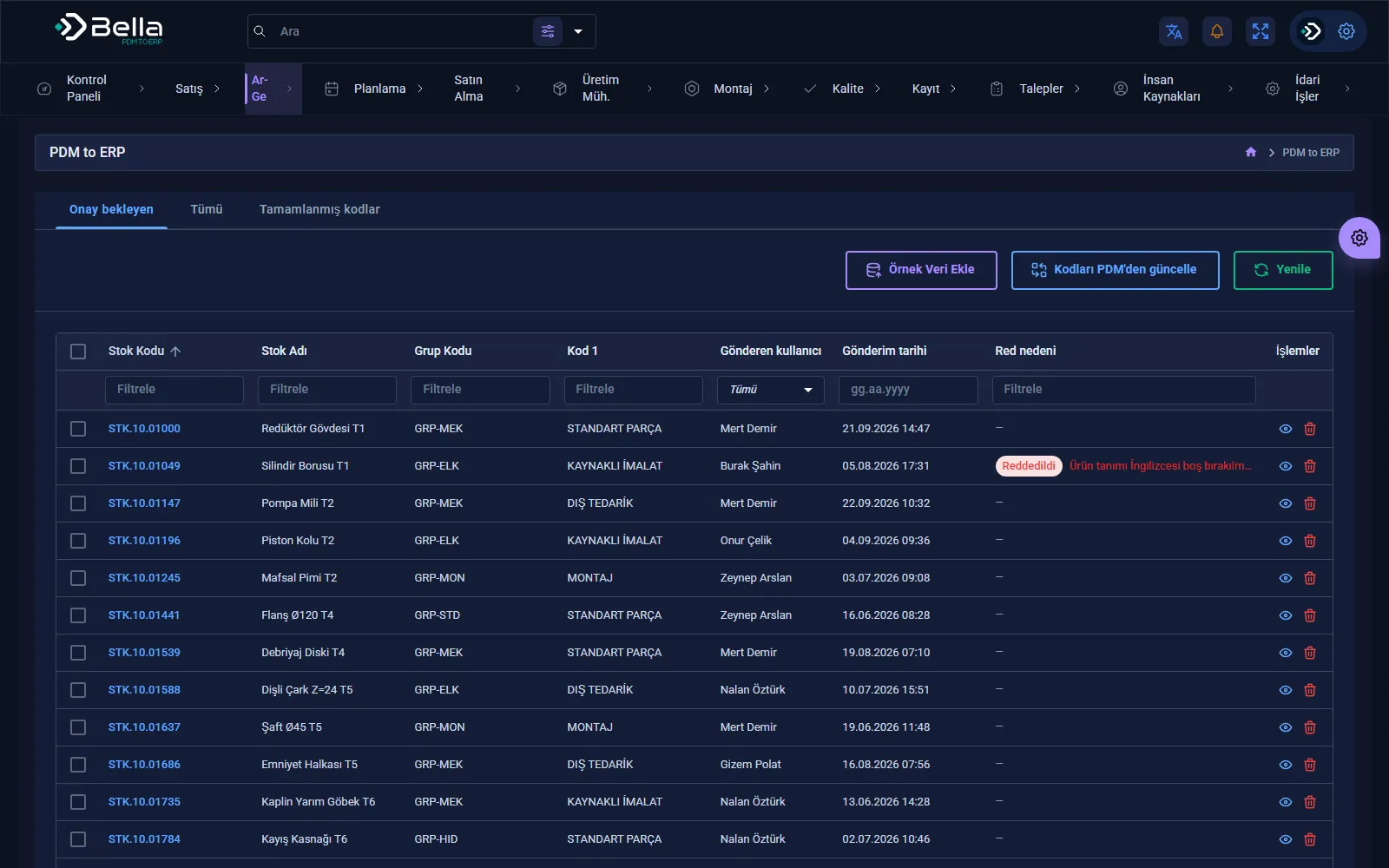
PDM to ERP — PDM process monitoring

PDM to ERP transfers the product structure, item master data and revisions created by engineering in the PDM/PLM system into the ERP. It removes manual data entry and the gap between the two systems.

The transfer is rule-based: which field goes where, which revision is released to the ERP and what gets blocked are all defined. Every transfer is logged; faulty records never disappear silently.

Capabilities

Field mappingRule-based definition of ERP counterparts for PDM fields.
BOM transferTransferring multi-level BOMs without breaking their structure.
Revision managementControlling which revision is released to production.
ValidationChecks and warnings for missing or conflicting data before transfer.
Error queueFailed records wait in a queue and are resent once corrected.
Transfer logWhat was transferred, when and by whom — a complete record.

How a transfer works

Example flow: SolidWorks PDM → Bella integration layer → Netsis ERP. Engineering data is never typed into the ERP by hand; every step is recorded.

  1. ReadThe product tree, item master fields and revision information are read from PDM.
  2. MapPDM variables are bound to ERP fields by rules; which field goes where is defined in one place.
  3. ValidateMissing, conflicting or ERP-unknown values are caught before transfer.
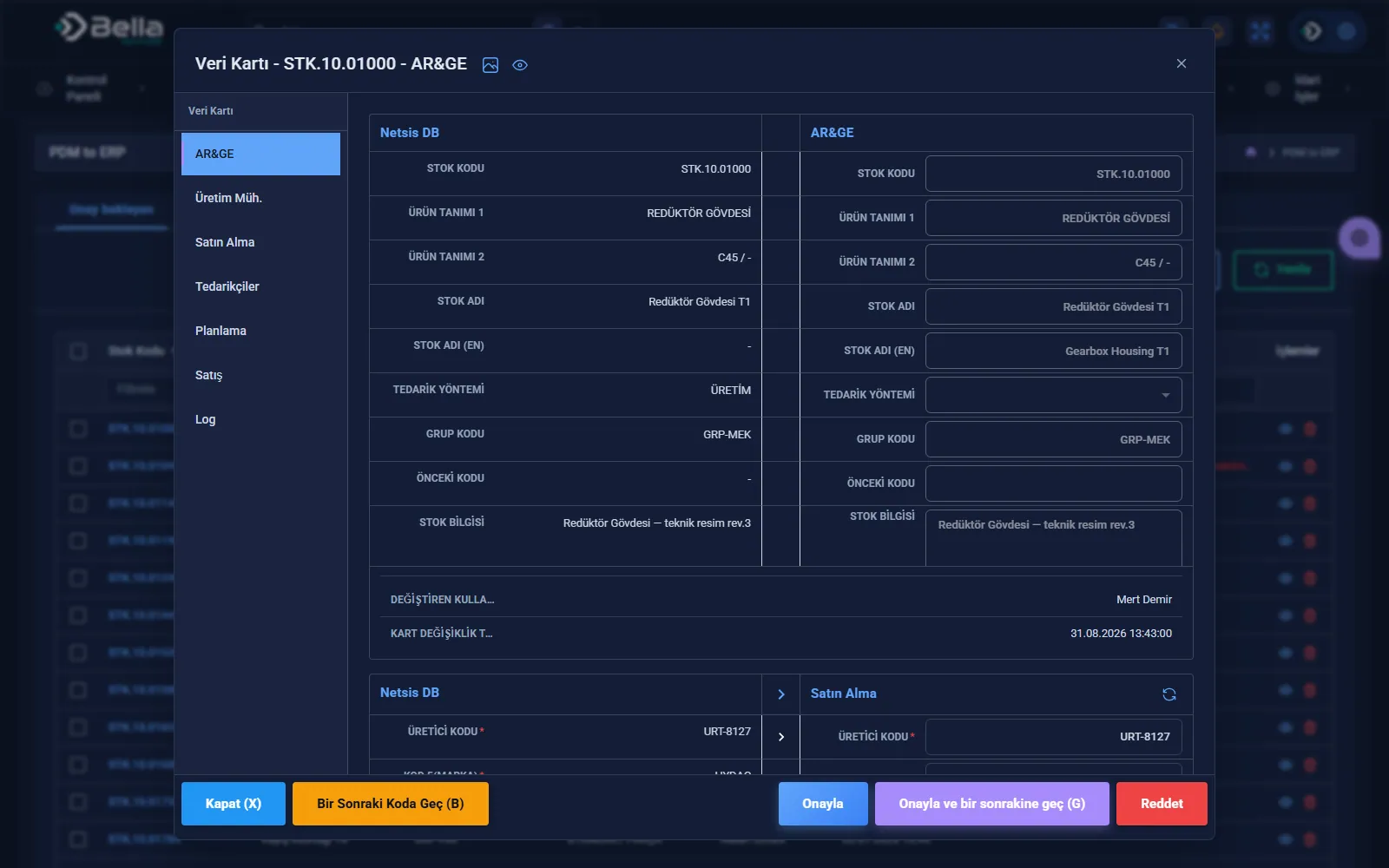
  4. CompleteR&D, production and purchasing complete their own fields on the same data card; who checked and approved the card is recorded.
  5. TransferSuccessful records are written to the ERP; failed lines wait in a queue and are resent after correction.

Every transfer is written to a log that answers who, when and with which value.

Screenshots

PDM to ERP — Transfer from PDM to ERP
Transfer from PDM to ERP
PDM to ERP — Transfer details
Transfer details
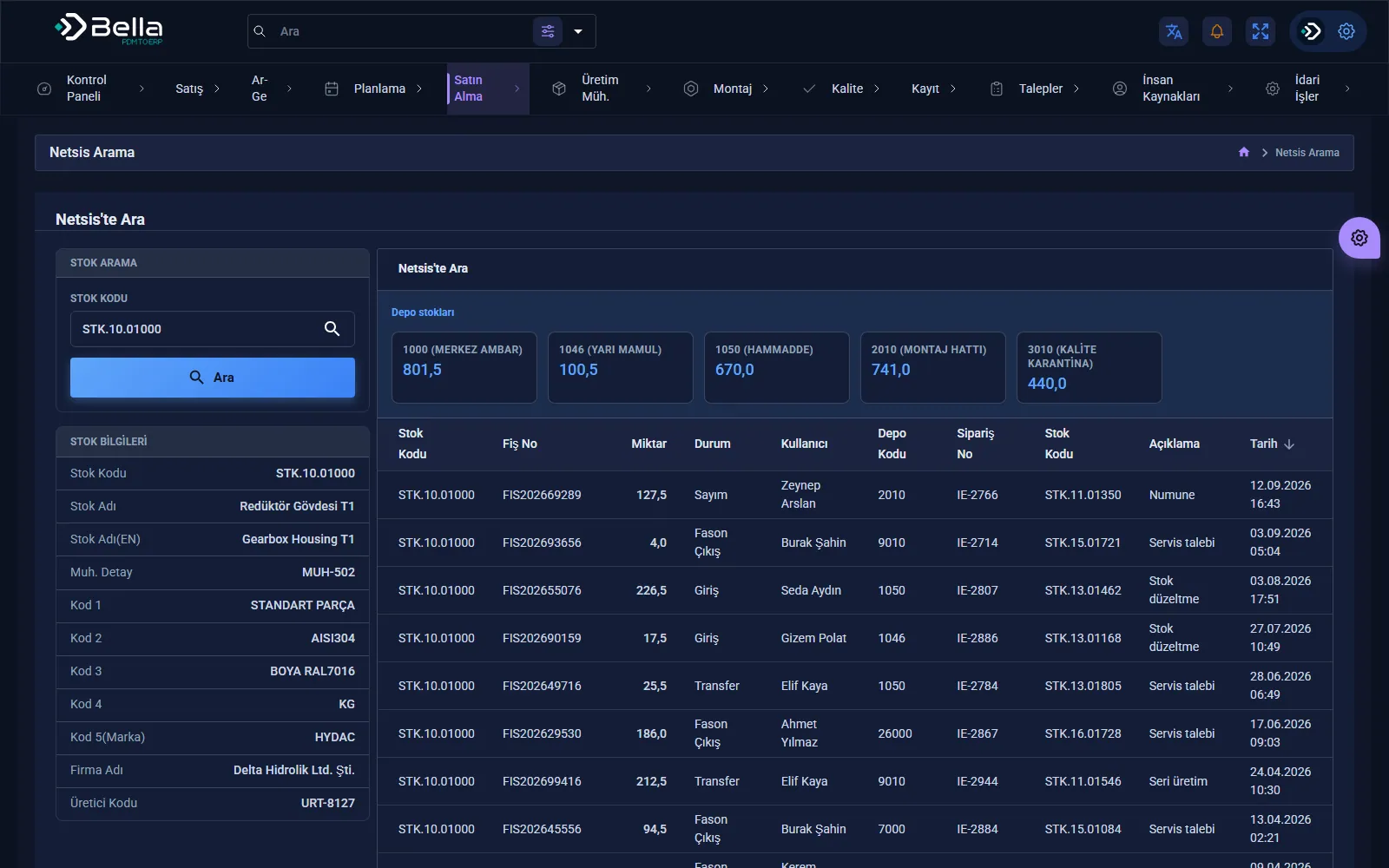
PDM to ERP — Netsis record search
Netsis record search
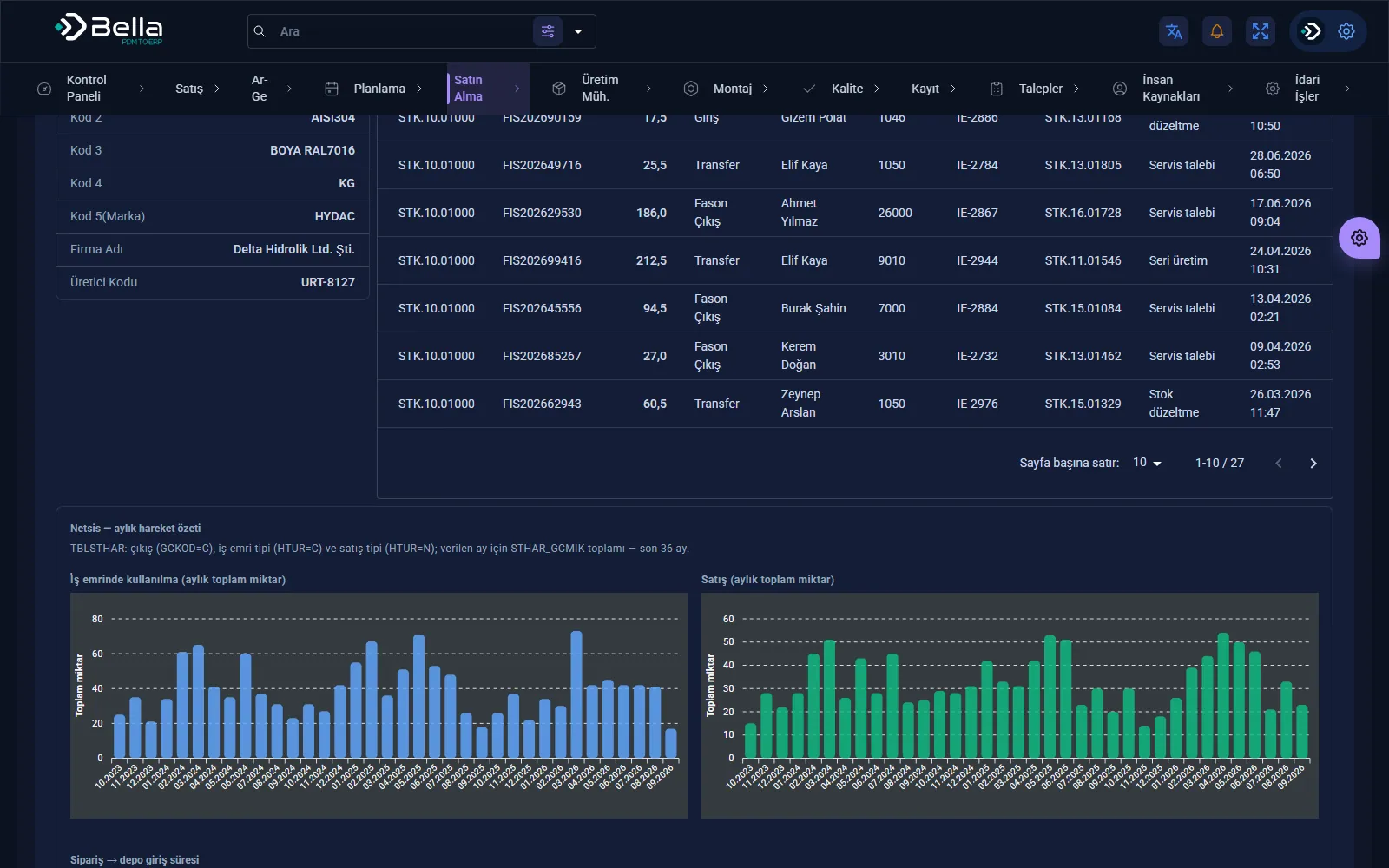
PDM to ERP — Netsis search results
Netsis search results

Frequently asked

What happens to a failed record?

It isn't lost silently. It waits in the error queue and is resent once corrected; every transfer is logged.

Is every revision transferred to the ERP?

No. Rules decide which revision goes to production; revisions that shouldn't be transferred can be blocked.

Can multi-level BOMs be transferred?

Yes. Multi-level BOMs are transferred without breaking their structure; missing or conflicting data is caught before transfer.

Which PDM and ERP systems does it work with?

The installation running in production connects SolidWorks PDM to Netsis. For another PDM or ERP, the read and write layer is adapted within the project; the rules, completion and error-queue structure stay the same.

What can PDM to ERP do for you?

Let's plan the whole process together, from installation to integration.