Custom ERP · Ankara

Don't bend your business to the ERP. Bend the ERP to your business.Custom ERP Software Development

For the processes that don't fit a packaged product we build a custom ERP: stock and bills of materials, work orders and production tracking, quality, time and attendance and pre-accounting in one application. It talks to your existing ERP, and the source code stays with you.

Stock and BOMWork orders and productionQuality controlAttendance and HRPre-accountingERP integration

When you buy a packaged ERP, you adapt your processes to the package. Everything that doesn't fit moves to Excel: the production plan in one file, attendance in another, approvals in e-mail. The ERP sits inside, but the work itself runs outside it. A custom ERP reverses that relationship: the software is written around the way your business really runs today.

We don't suggest rewriting everything. Statutory accounting, payroll and e-invoicing are defined by regulation; the package you use for them stays where it is. We write the part that sets you apart from your competitors: your product structure, your production flow, your approval rules, your reports. Data between the two is not carried by hand; it flows through integration.

This is not a promise on paper for us. At a machine manufacturer in Ankara with more than 250 employees we brought design data, the ERP, access-card records and payroll together in one in-house application; today it keeps growing as the system the company uses every day, with production tasks, HR operations and reports.

If this sounds familiar

  • You have an ERP, but the production plan, attendance or quote calculation still runs in Excel.
  • Customisations made to fit the package to your business break with every version update.
  • Licence costs grow with every user; not everyone gets an account, so some records stay on paper.
  • The same item card or bill of materials is kept separately in different departments and they don't match.
  • The management report is prepared by merging data from several systems by hand.
  • The vendor says "that's non-standard" and the change you need can't be made.

What it covers

Item cards and bills of materialsR&D, production engineering and purchasing complete and approve the same card with their own fields; revisions are tracked and who changed what stays on record.
Work orders and production trackingProduction tasks are opened from the work order; machines and operators are assigned and progress is tracked unit by unit. Planning sees the status at the same moment, not the next day.
Quality controlSample-based inspection and result records are part of the production flow; the quality result sits on the work order itself, not in a separate file.
Attendance and HRAccess-card records turn into timesheets by rule; break, overtime and leave rules are defined in one place and the result is exported to your payroll software.
Pre-accounting and receivablesWho owes what, what is in the cash account, which invoice is overdue: accounts, cash and invoice tracking in the same application. Statutory accounting stays in its own package.
Integration with existing systemsData exchange with ERPs such as Netsis, with PDM, access-control and payroll software. A record that can't be transferred never drops silently; the person in charge is notified.

Example scenarios

Illustrative examples; the specifics are worked out during discovery at your site.

Machine manufacturingFrom design to payroll in one applicationDesign data, the ERP, access-card records and payroll sit in separate systems; the custom application connects them all and departments work on the same card.
ProductionFrom work order to quality approvalA work order is opened, a machine and operator are assigned, the operator reports output, quality control approves. The approved quantity shows in progress; no job is left hanging.
Services and tradeAccounts, cash and invoices on one screenWho owes how much, the state of the cash account and overdue invoices are tracked in the same application; statutory accounting keeps running in its own software.

PDM to ERP screens

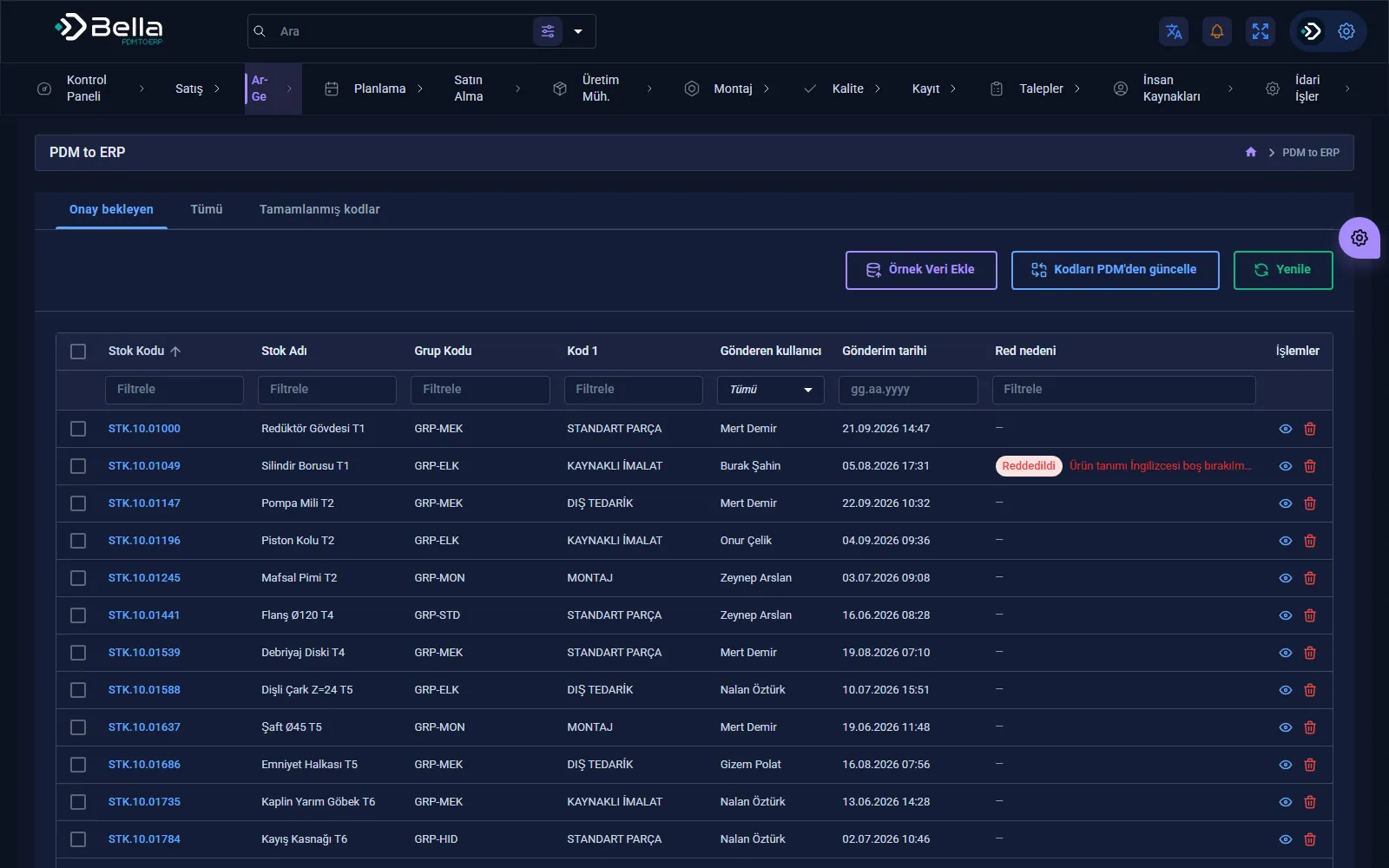
PDM to ERP page
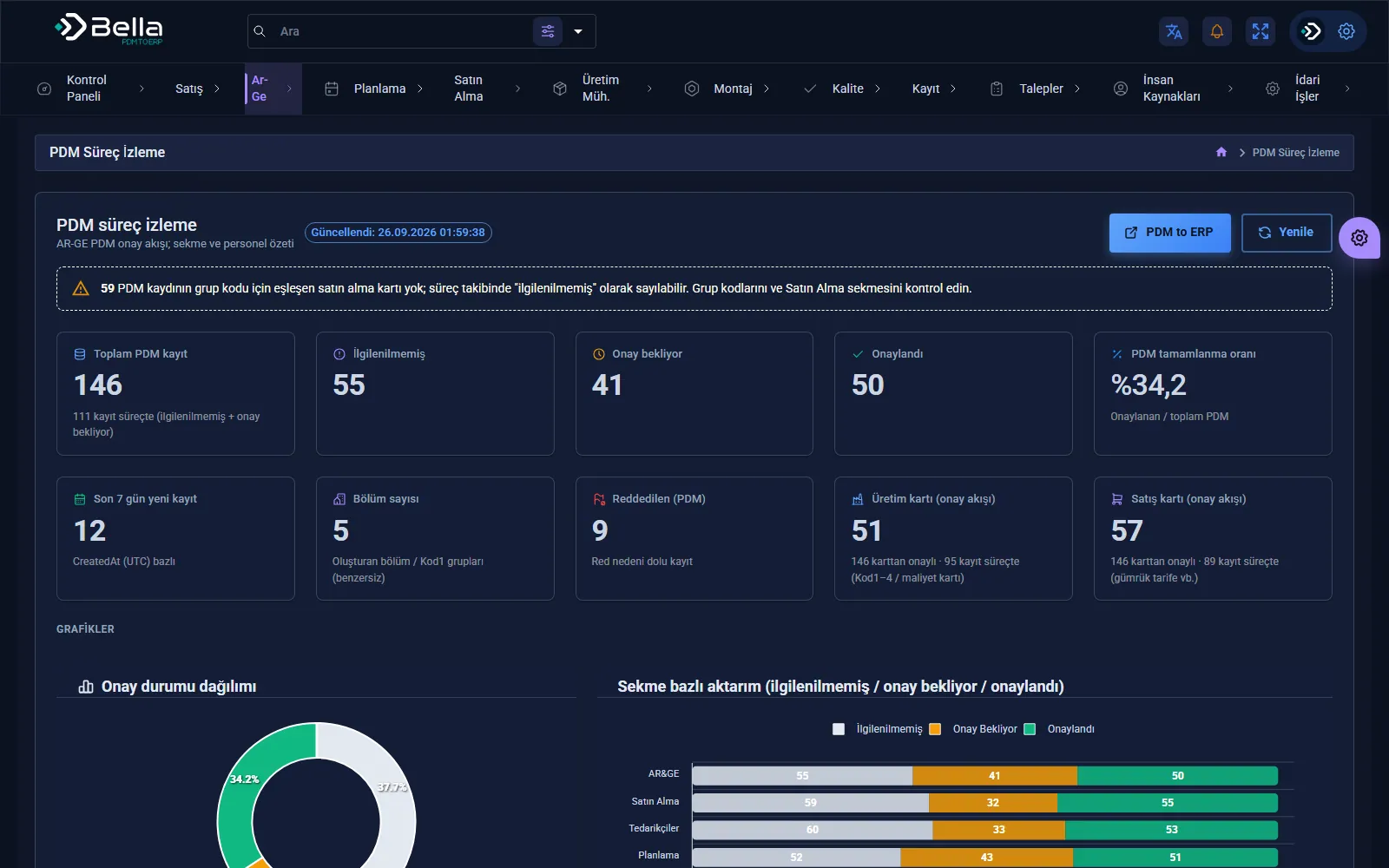
PDM to ERP — PDM process monitoring
PDM process monitoring
PDM to ERP — PDM records pending approval
PDM records pending approval
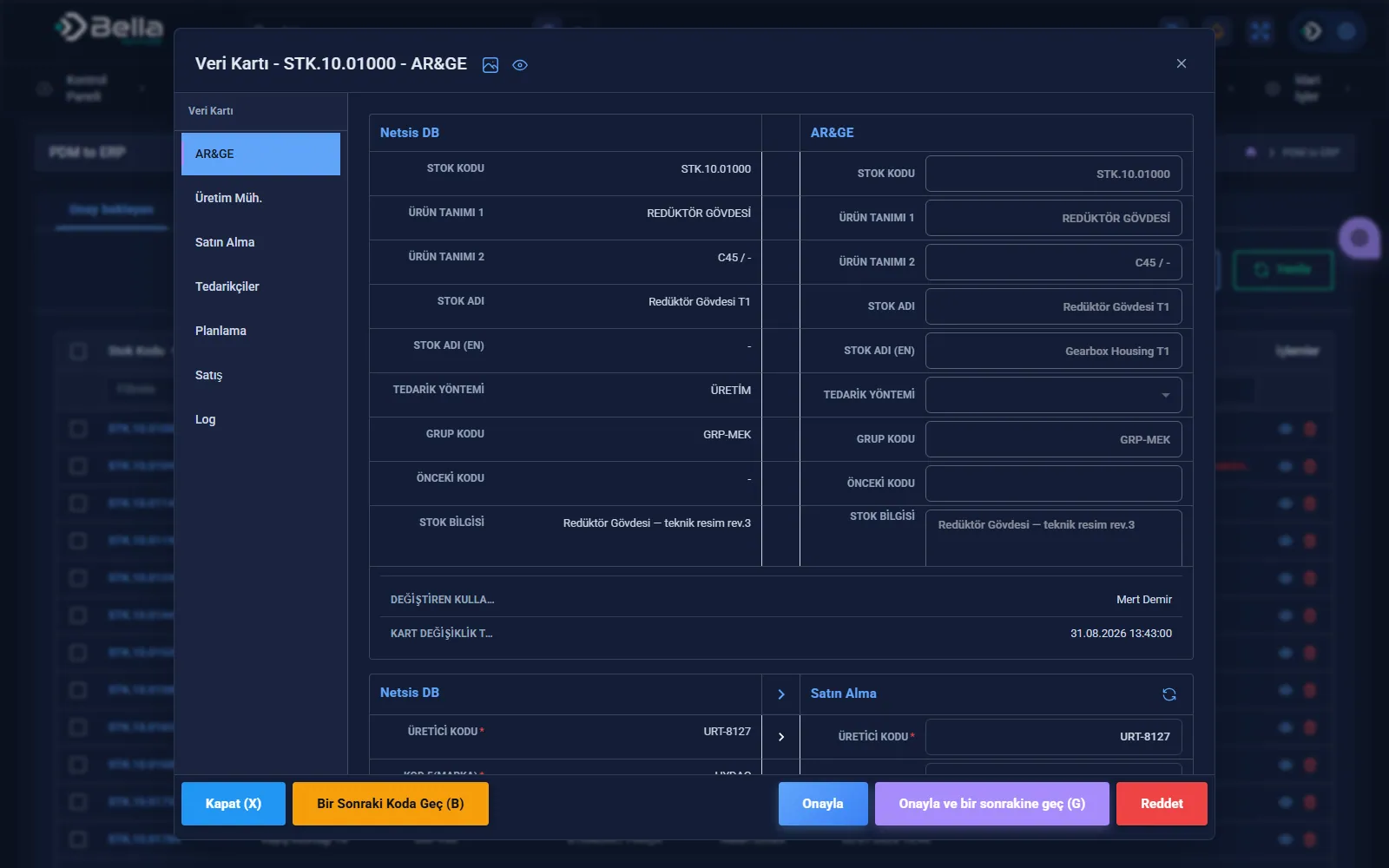
PDM to ERP — Data card: comparison with Netsis
Data card: comparison with Netsis
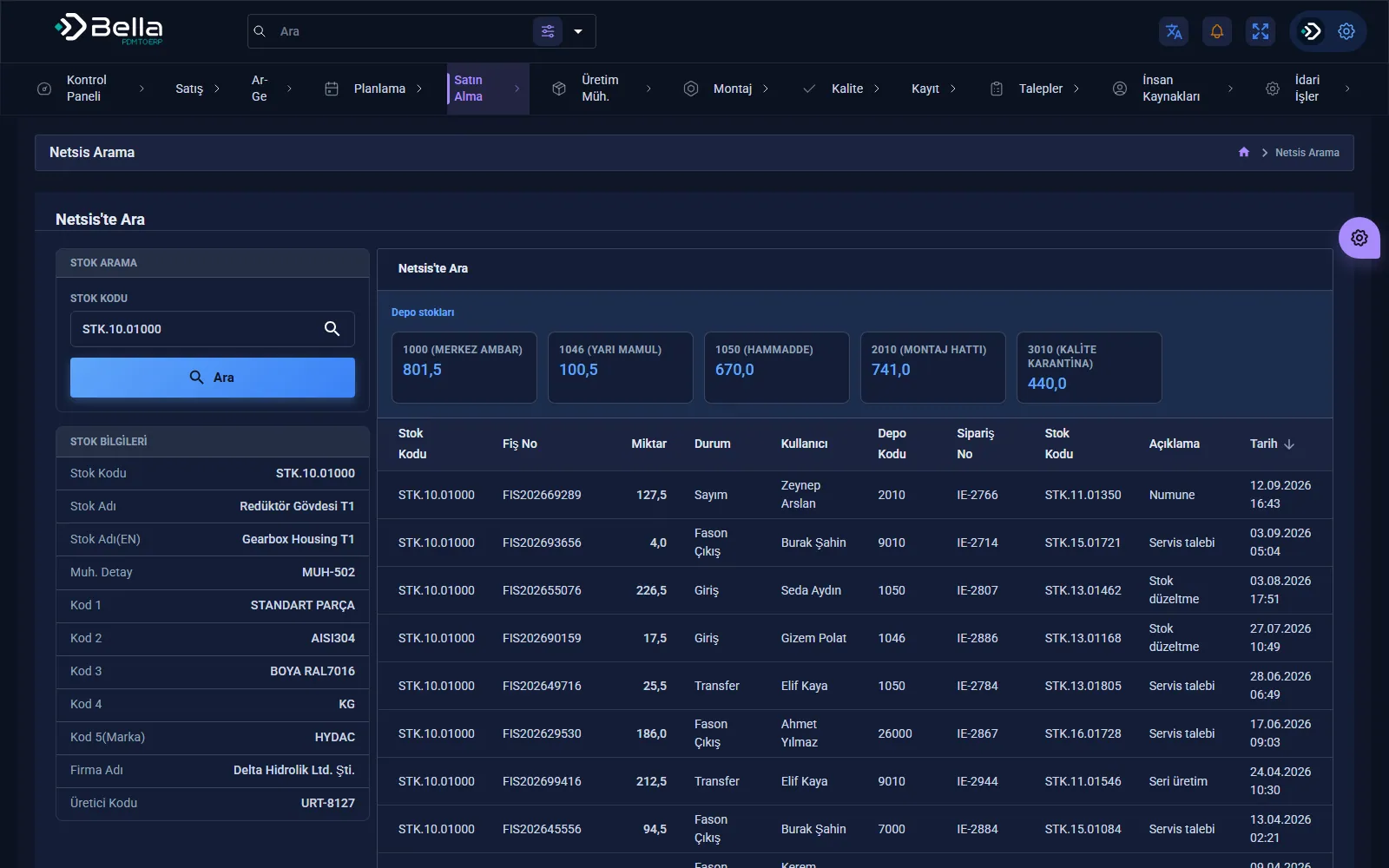
PDM to ERP — Netsis stock search
Netsis stock search

What we deliver

  • Process map and module scope document: what is written, what stays in the package
  • Working releases module by module, each put into use with real data
  • Integration with the existing ERP and other systems; error notifications and transfer log
  • Role and permission structure: who sees what, who approves
  • Data migration from the old system and Excel files
  • Source code, repository access, installation and architecture documents
  • User and administrator training
  • One year of warranty and maintenance

How we proceed

1 · Process discoveryHow the work really runs today is mapped: which spreadsheet, which approval, which manual transfer.
2 · Scope and boundaryWhich modules will be written, what stays in the package, which systems we talk to; all set down in writing.
3 · First moduleWe start with the process that loses the most; the first module that works end to end goes live with real data.
4 · Module by moduleEach new module is added on top of the running system, in short cycles, every delivery usable.
5 · Hand-over and maintenanceSource code, documentation and training are delivered; the system lives on with one year of warranty and maintenance.

When it's the right choice

  • The part of your work that is specific to you runs outside the packaged ERP, in Excel and e-mail.
  • The changes you want can't be made in the package, or have to be redone at every update.
  • Your user count is high and growing; you want a system you own instead of per-user licences.
  • You can assign someone to make the process decisions throughout the project.

When it's not the right choice

  • If your processes are standard and a packaged ERP covers most of the need unchanged; we recommend that.
  • If the real need is statutory accounting, payroll or e-invoicing; these should stay in a package.
  • If all modules are expected to go live on the same day; we proceed module by module.
  • If the processes are not defined yet; the process has to be clear first, software comes after.

Key products for this topic

Data Integration

PDM to ERP

Never open a stock card by hand again: the card in PDM reaches your ERP on its own, department approvals included.

PDM / PLMERPApproval Flow
Per departmentApproval flow
Side by sideNetsis comparison
LogTraceability
PDM to ERP — screenshot
Finance & Bookkeeping

Bella Ön Muhasebe

Who owes you, what's in the till, which invoice is overdue: your company's money on one screen.
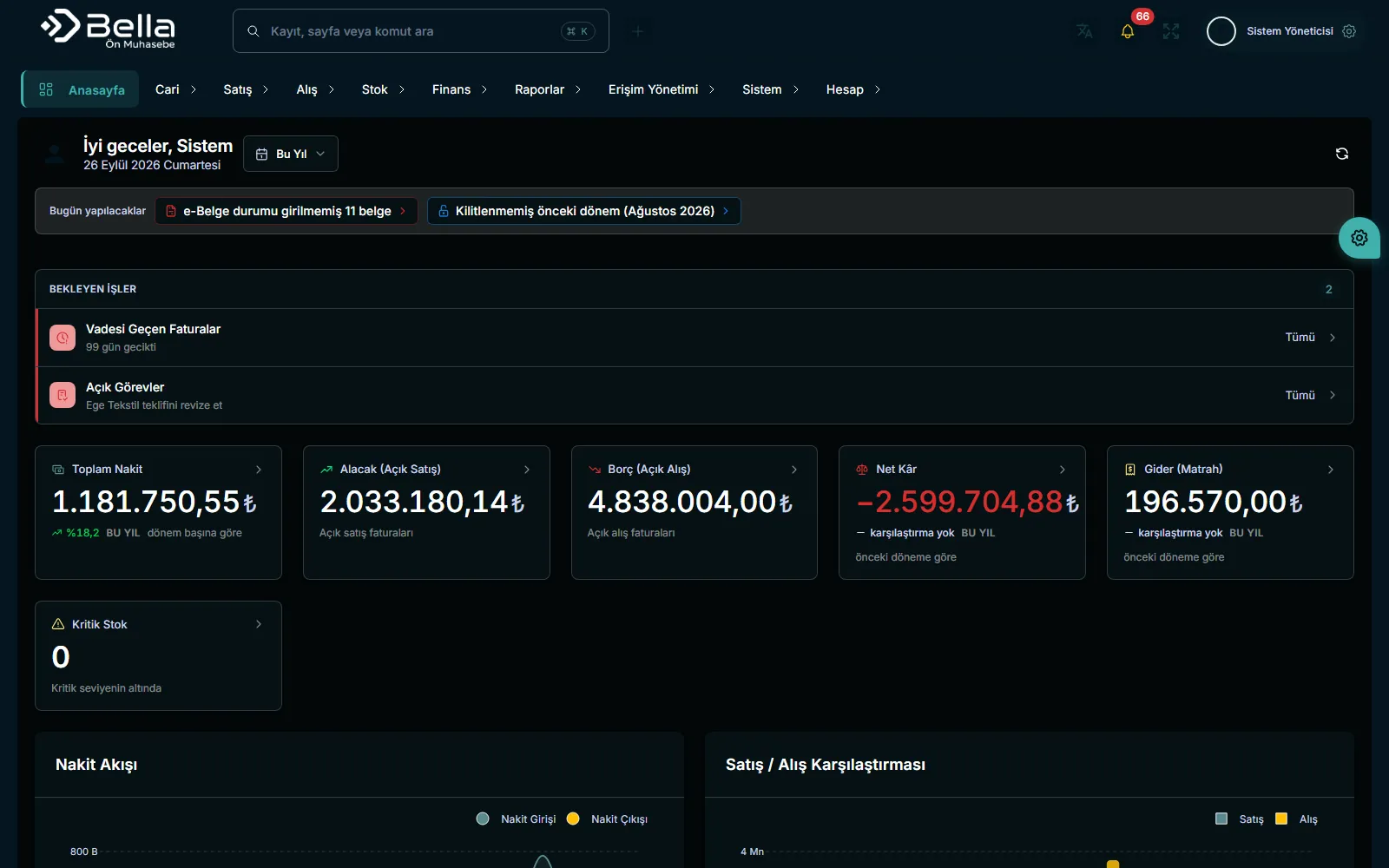
InvoicesAccountsStock
Multi-currencyCBRT rates
Due datesOverdue tracking
AccountantInvited access
Bella Ön Muhasebe — screenshot
Quality Management

Bella KYS

Have the answer ready when the auditor asks: evidence in place for every clause, gaps in plain sight.
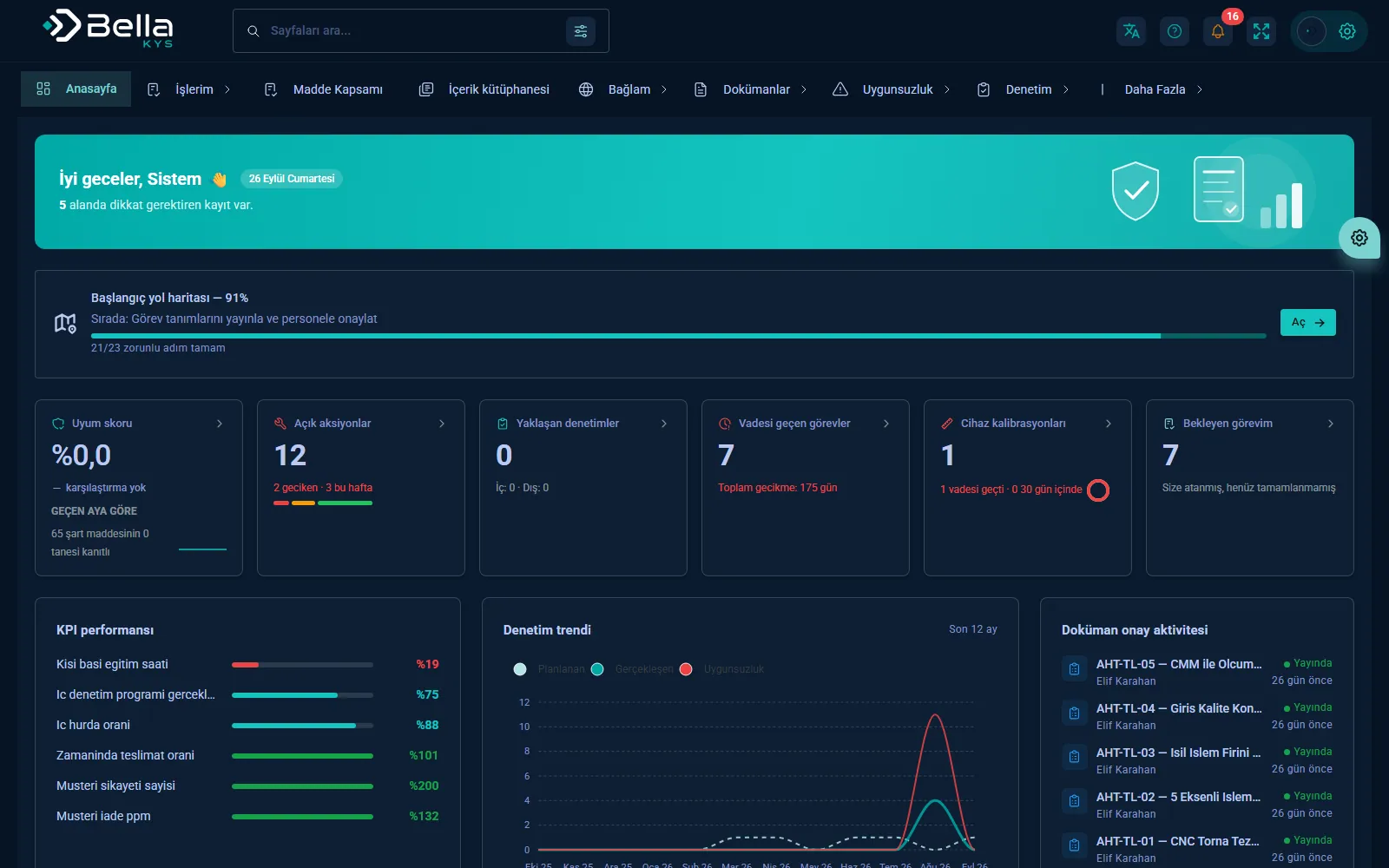
ISO 9001AuditKPI
ClauseEvidence link
ApprovalSigned flow
CoverageRatio
Bella KYS — screenshot
Maintenance & Asset Management

Bainten

Which engine is waiting where, which job is running late: your overhaul shop on one screen, from intake to dispatch.
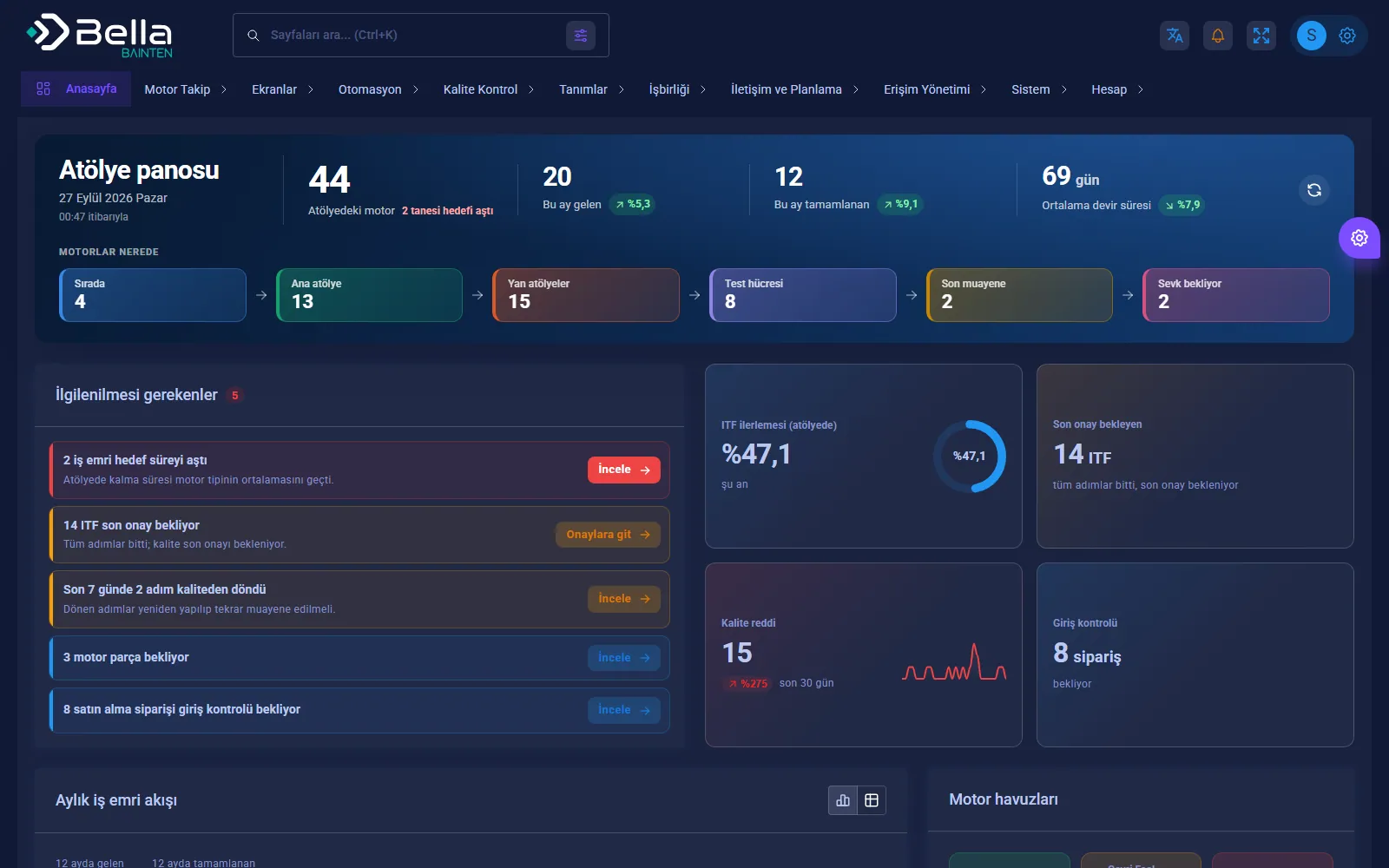
Work OrderITF StepsQuality Approval
ITFStep-by-step work order
LiveWorkshop dashboard
RegisterSerial number tracking
Bainten — screenshot

Frequently asked

Should we buy a packaged ERP or have a custom one built?

If your processes are the same as everyone else's in the industry, a packaged ERP is faster and usually more economical; we say so openly. A custom ERP makes sense when you would have to change a large part of the package, or when the part of the work that is specific to you runs outside it, in Excel. In practice the structure we build most often is a combination: accounting in the package, your own processes in custom software, automatic integration in between.

Do we have to give up the ERP we use?

No. In most projects the existing ERP stays and the custom software is built around it: it takes over the processes the ERP doesn't cover and shares data with it in both directions. At a machine manufacturer we left Netsis in place and built the application that connects design, attendance and payroll flows to it.

How long does a custom ERP take to go live?

Not all at once; module by module. The timeline comes with the scope document written after discovery; we don't quote a duration before seeing the scope. The first module is delivered working and goes into use with real data; later modules are added on top.

Who keeps the source code and the data?

You do. In custom development the source code, the database structure and the installation and architecture documents are part of the delivery. You pay no per-user licence, and if we part ways another team can take the system over.

Do you also write statutory accounting and e-invoicing?

We don't recommend rewriting them. Regulated work needs constant updates, and packaged products and certified providers already carry that load. The custom ERP connects to those systems: data bound for invoicing and accounting is transferred without being typed again.

Can new modules be added later?

Yes, the structure is built for that from the start. The first year after delivery is covered by warranty and maintenance; new modules and enhancements are planned as separate scope.

Let's talk about this.

We'll listen to your current situation and work out together where to start.