Maintenance & Asset Management

BaintenOverhaul workshop and maintenance management software

Which engine is waiting where, which job is running late: your overhaul shop on one screen, from intake to dispatch.
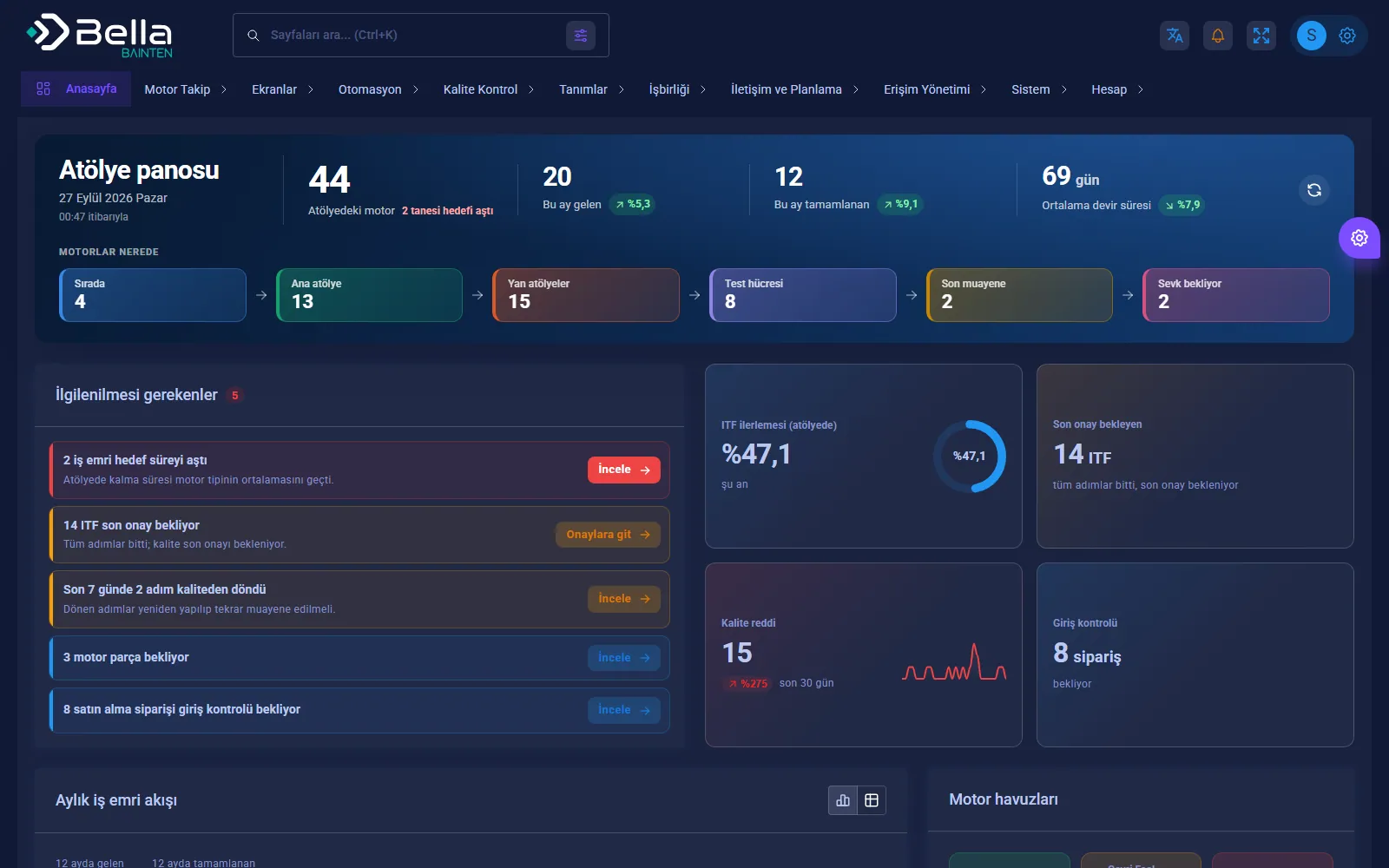
Bainten — Workshop dashboard

Bainten keeps the intake, work order, ITF (work instruction form) steps, quality approvals and dispatch of every engine that arrives at the workshop in a single flow. Which engine is waiting in which shop, which step was sent back by quality and which work orders have passed their target time are visible on the dashboard.

The aim is to shorten time in the workshop: average turnaround time, work orders over target, quality nonconformity rate and engines waiting for parts on one screen.

Capabilities

Engine treeSection, family and type hierarchy; drill down to part level through the sub-breakdown.
ITF workflowA work instruction form template for each engine type; steps are routed to the shops and progress is tracked live as a percentage.
Work order and approvalWork orders from engine intake to dispatch; quality and section supervisor approval per step, and rejected steps sent back.
Parts and incoming inspectionOPL parts lists, quality incoming inspection of purchase orders, and an alert for engines waiting for parts.
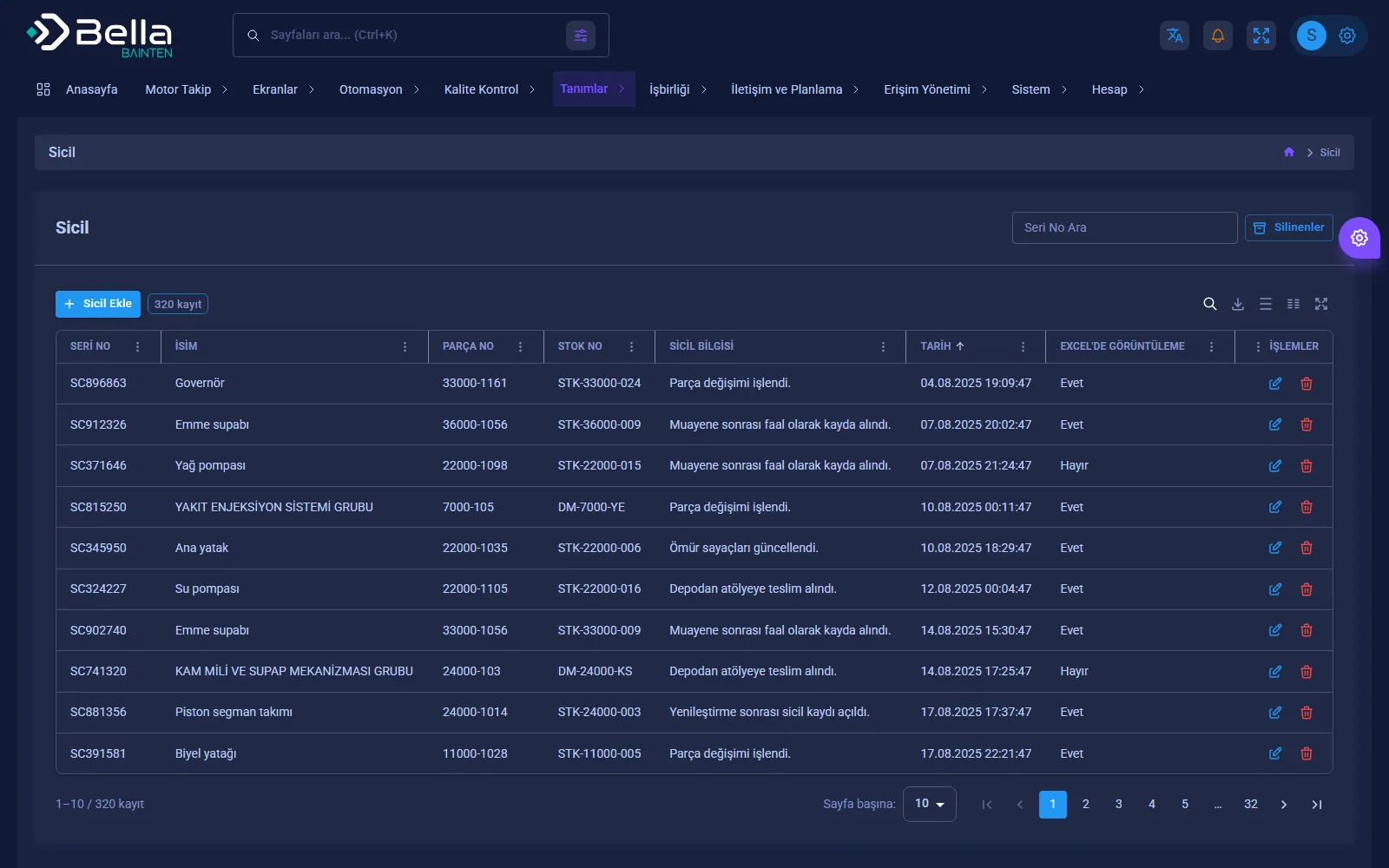
Part registerThe full history of a part by serial number; serviceable, unserviceable and HEK pools.
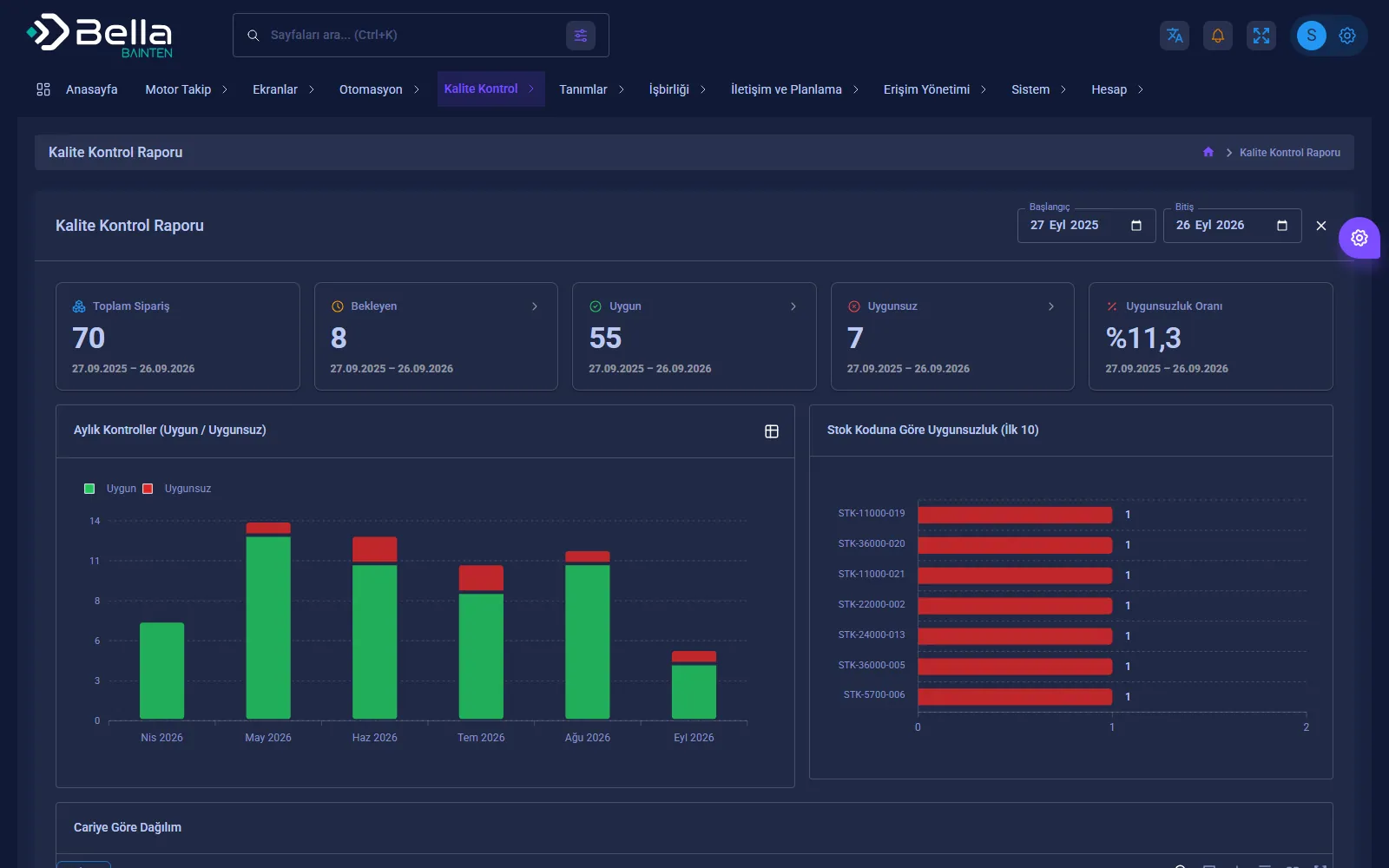
ReportingQuality control report, nonconformity breakdown, engine status analysis and Excel export.
Today stripPills at the top of the dashboard that appear only when there is work: work orders over target, ITFs awaiting final approval, orders awaiting incoming inspection; each pill opens the related list.
Where the engines areThe distribution of engines in the workshop across six stages (queued, main shop, side shops, test cell, final inspection, dispatch) on one card.
Month-on-month comparisonEngines received and completed this month and average turnaround time are shown against the previous month with a direction arrow.
Quick accessKeyboard access to every permitted page with the Ctrl K command palette; the "Engine intake" button in the top bar opens the new intake form directly.
Personal interfaceThe menu can sit in the top strip or on the left edge, and dark or light theme switches with one button; the choice is saved per user.
Phone-friendly panelOn narrow screens a navy top bar and bottom navigation: dashboard, engines, my tasks, quality.

Screenshots

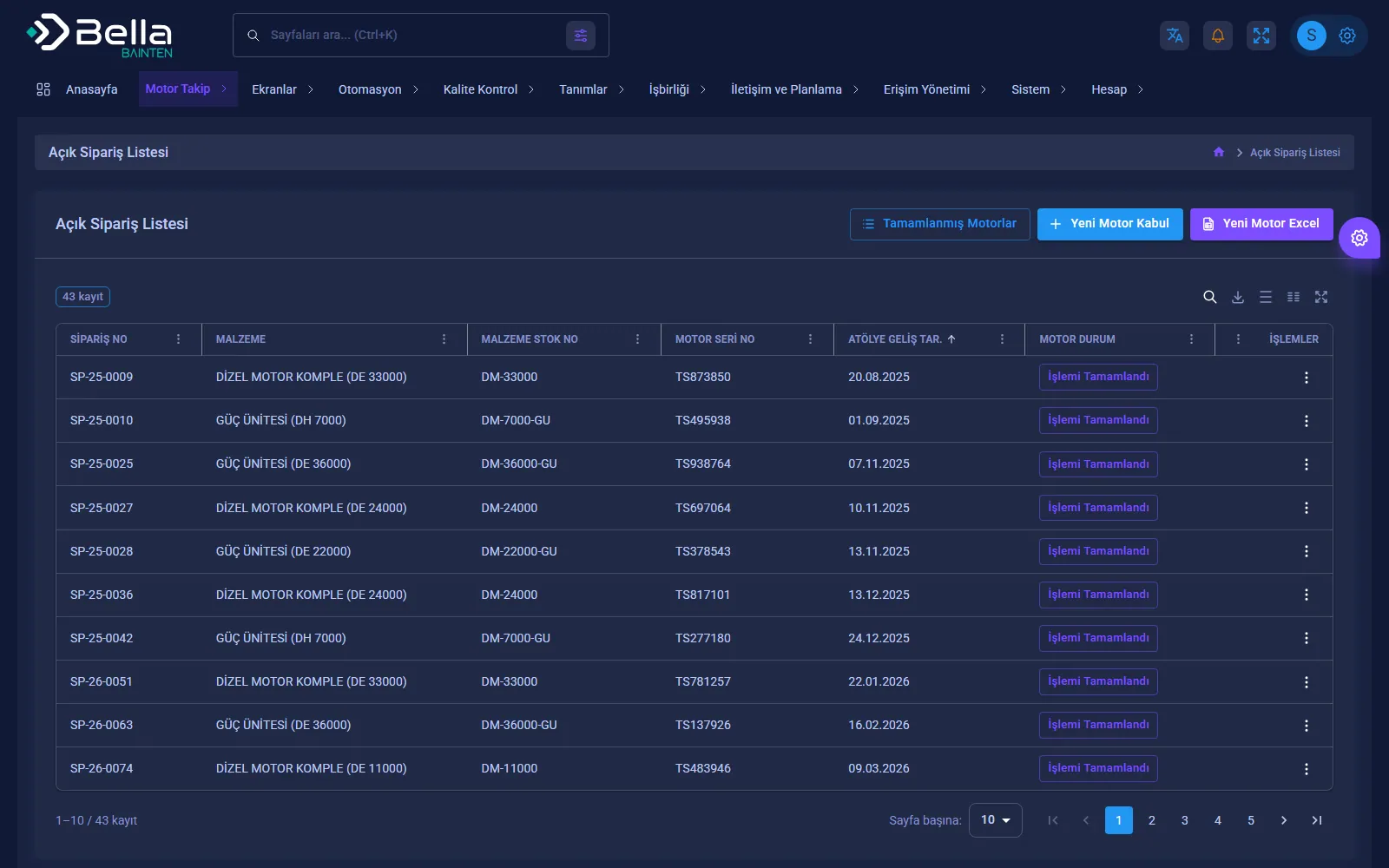
Bainten — Open order list — which stage each engine is in
Open order list — which stage each engine is in
Bainten — Quality control report
Quality control report
Bainten — Part register
Part register
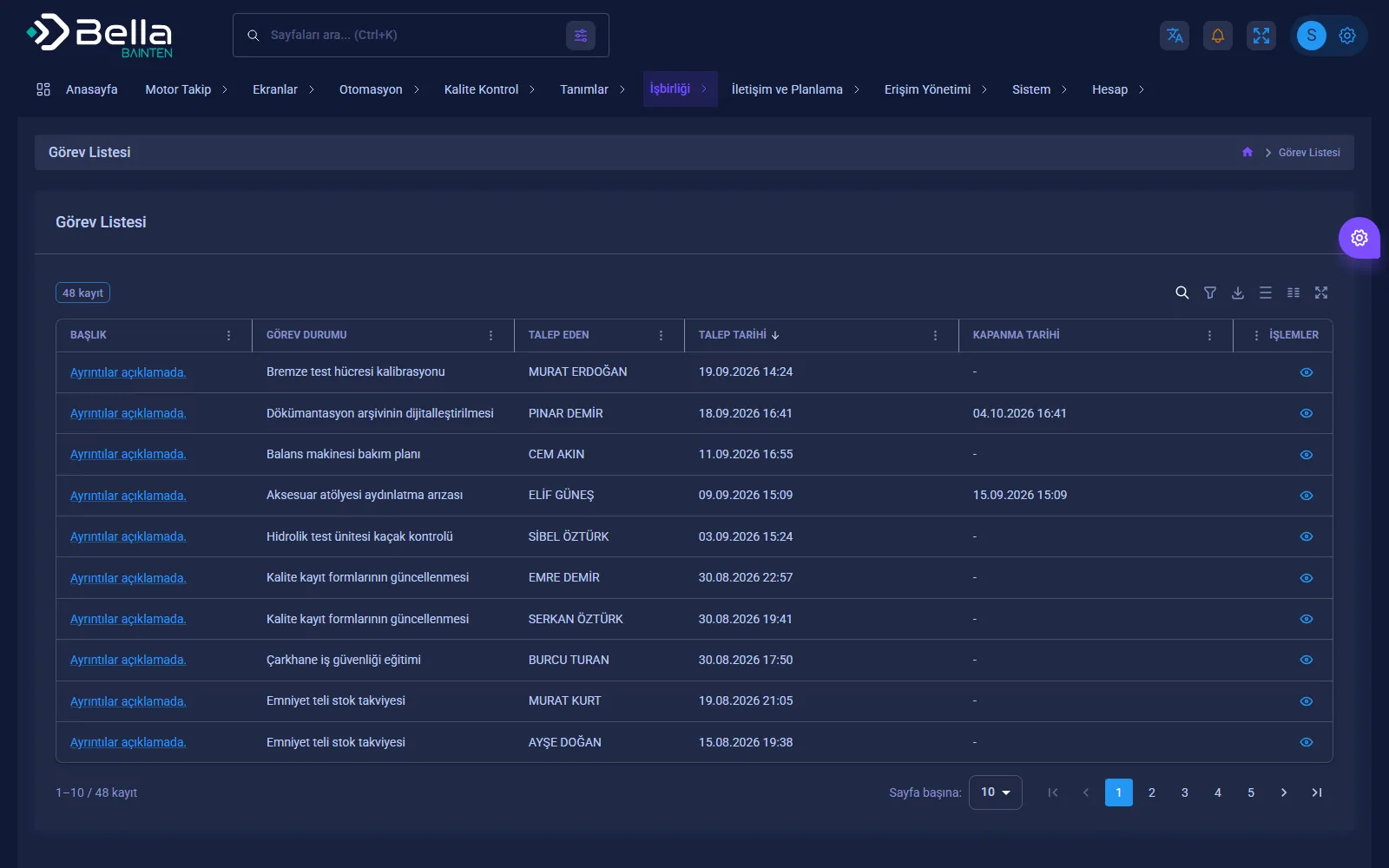
Bainten — Task list
Task list

Frequently asked

How do we see which stage an engine is in?

The workshop dashboard counts engines by stage: Queued, Main shop, Side shops, Test cell, Final inspection and Awaiting dispatch. The open order list shows the current status of every engine.

How does quality approval work?

As ITF steps are completed they go to quality and section supervisor approval; a rejected step is redone and inspected again.

Can we provide evidence in an audit?

Yes. Each engine's work steps, quality approvals and part register are kept with who did what and when, and can be reported.

What can Bainten do for you?

Let's plan the whole process together, from installation to integration.